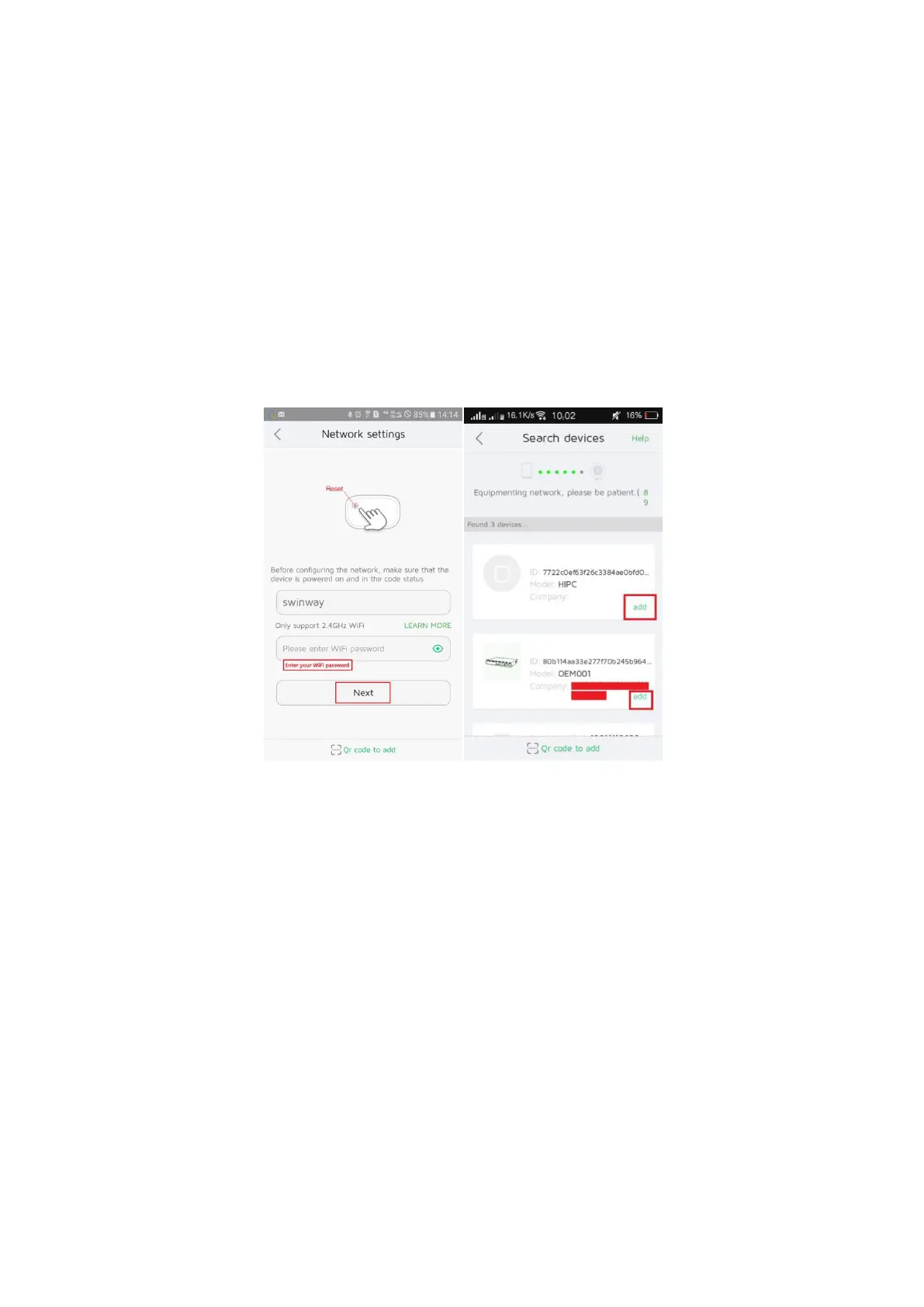
A. If your mobile phone is in the same LAN with the NVR (normally
means they are connected to the same router), you can add the device
by automatically search.
Please enter your WiFi password, and then click “Next”. The app will
automatically search the device which in the same LAN with your phone,
then you can add the device which you want to add.
B. If your phone isn’t in the same LAN with the NVR. Please click “QR
code to add”, then you can scan the device ID with its QR code or
manually fill in the NVR Device ID number.


 To Next Page