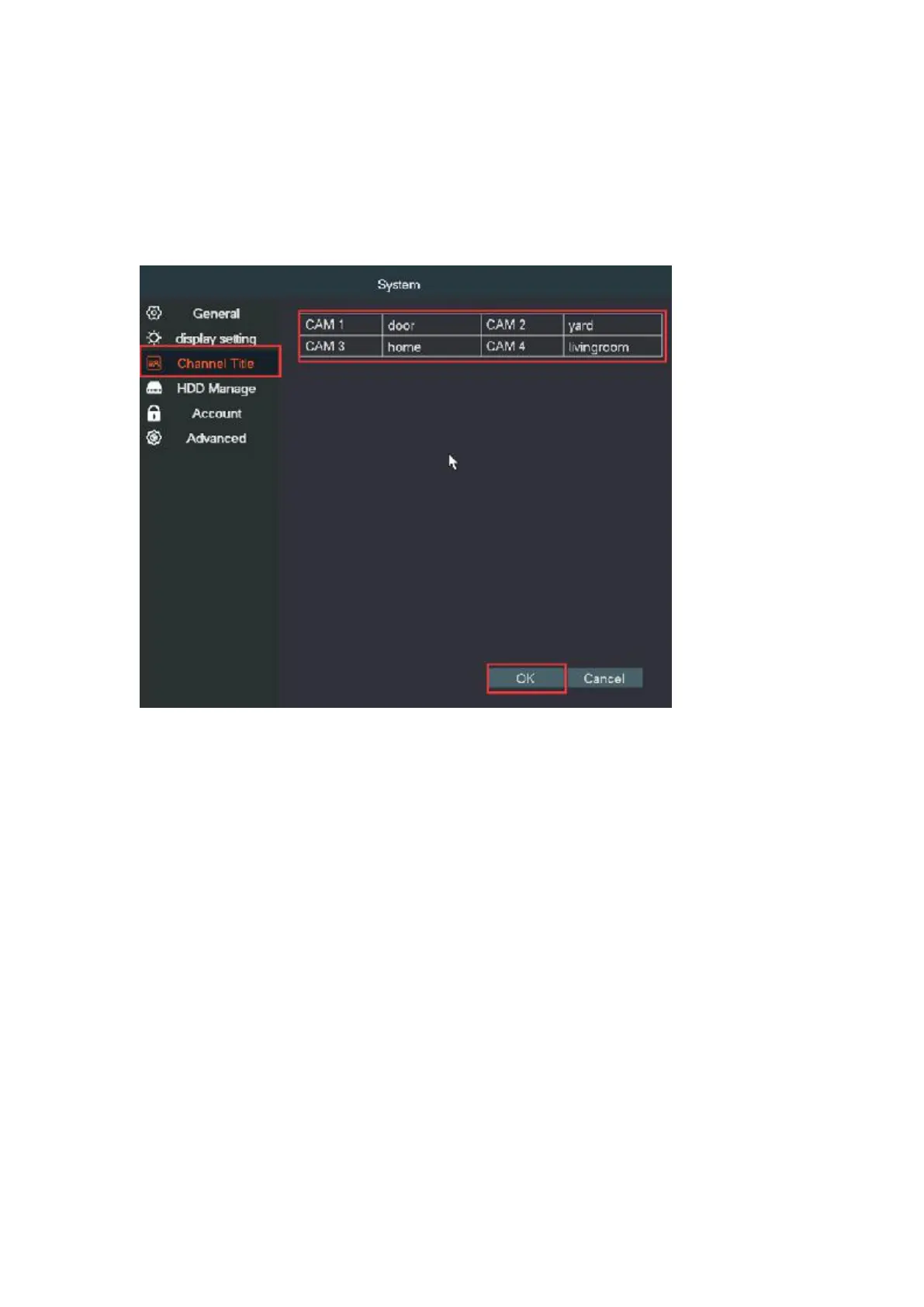
④Name cameras
Click right go to Main Menu → System → Channel Title; You can name
each camera here.
7. Network setting -Get the system ONLINE
The camera system supports P2P phone remote monitoring.
Without Internet connection, the system will still allows you to do
everything locally, however, you can view and playback the recordings
via your phone whenever and wherever you want after the camera
system is connected to the Internet.
Steps for make the system online as follows:
Make sure the DVR had been connected to your router with a network
cable and then check its network status.
Step1. Right click→Network settings→Network, check DHCP is enabled


 To Next Page