1. Thanks
Thank you for purchasing Anran products!
This is a quick user’s guide explaining how to set the system up and get it
running. If you need customer support, please email us at
support@anran-cctv.com. You can expect a response within 24 hours
2. Safety Tips (Please Follow)
1. Do not put any item containing fluid on the product.
2. Use the product in ventilated area and avoid blocking the vents.
3. Use the included power supply with the product to prevent damage.
4.Use the product within its standard working temperature and humidity
range.
5. Obey your local regulations and policies during installation.
3. What else do you need?
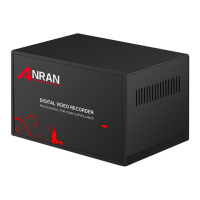
① The DVR(Digital Video Recorder--the main box) is like a desktop PC,
you only need a display for it.
Tips: display could be a PC monitor or a TV, with either VGA or HDMI
video input port.
②Give it memory. Adding a SATA hard drive to the NVR will add memory
to the system so you can record, playback videos and copy the videos
when needed. (If you purchased the item with HDD preinstalled, the
system will automatically record if HDD was formatted.)
③ Internet connection. Like a PC, you can use it without Internet; but


 To Next Page