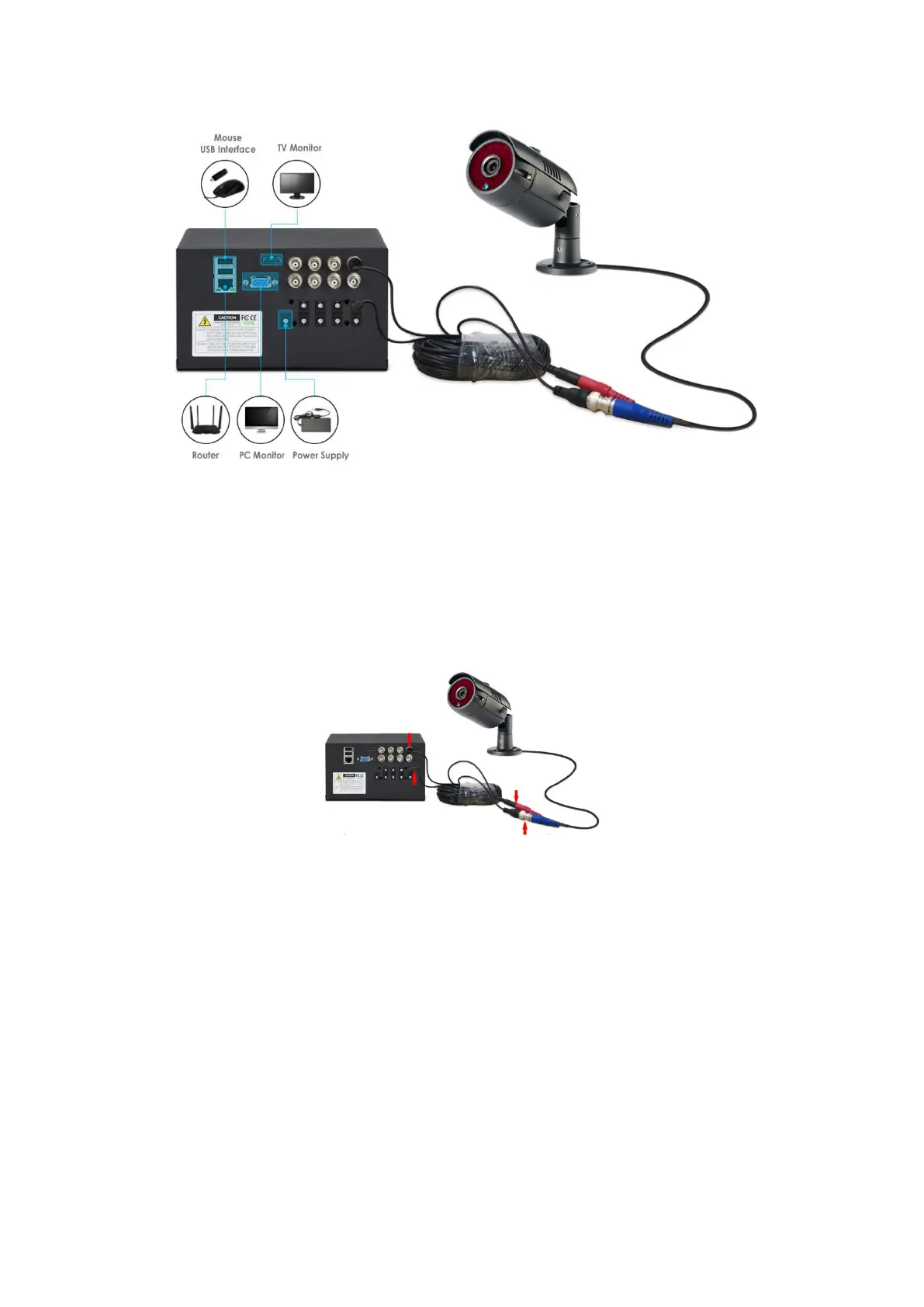
1. Connect the monitor/ TV to the DVR via its HDMI or VGA port.
2. Connect the USB mouse to the USB port of DVR.
3. Connect the DVR’s WAN port to your router with a network cable.
4. Connect the camera to the DVR using a BNC cable
5. Connect the DVR to the DC12V power adapter, about 1 minute later
you will see Cameras’ images on the monitor and then you are able to
operate the system.
③Set password
When you have finished connecting and see the cameras' images on the
monitor, please click “OK” to continue.
Default ID: admin


 To Next Page