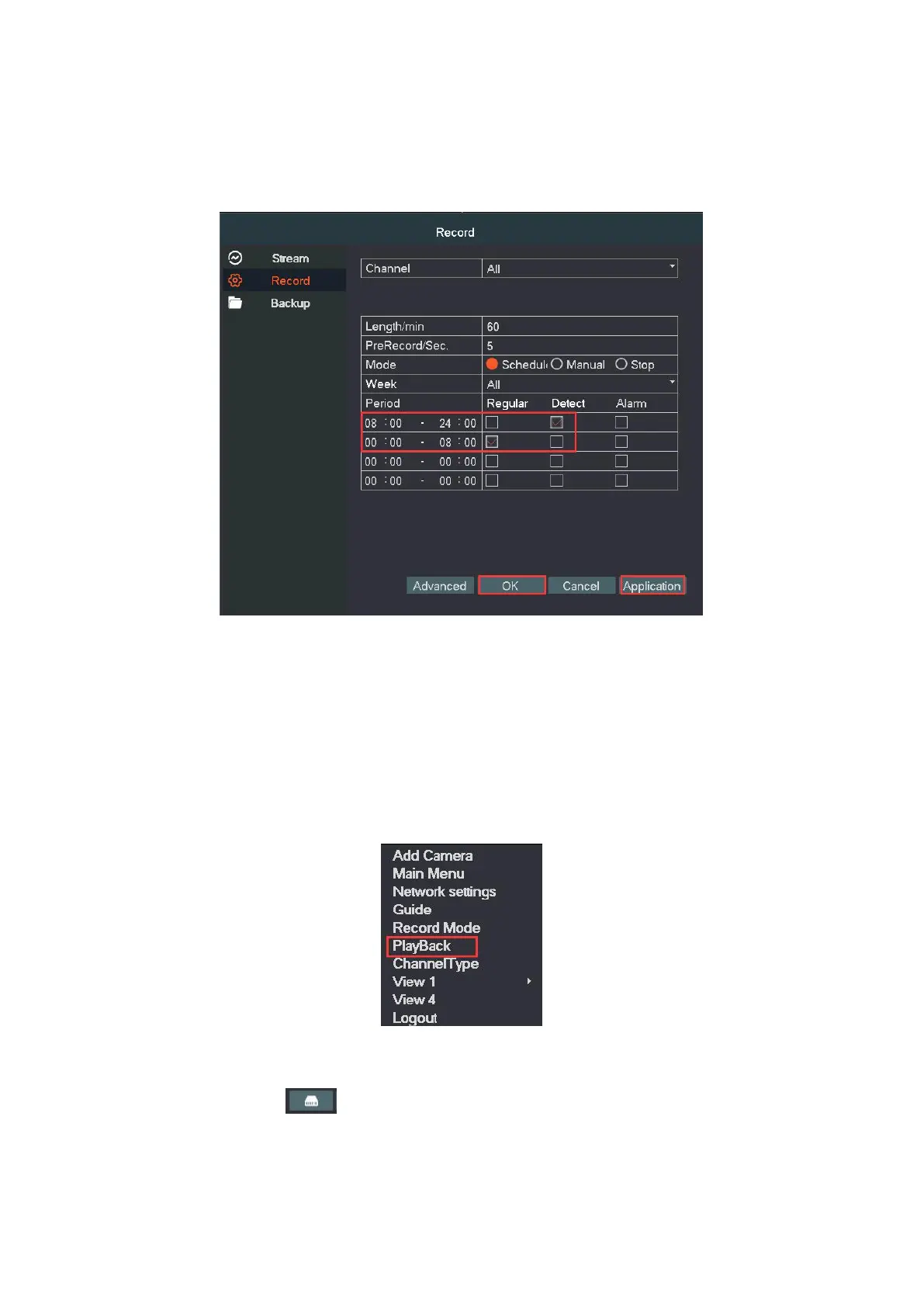
For example, if you want the system to record detect 8am—23:59 and
record 00:00-8am. Below is the setting you should do.
11. Playback video
The NVR must be installed a hard disk and record the video successfully
before you playback it.
Step1. Right click and click playback, enter the video playback interface.
Step2. Click “Search” to search file, then you can select the files in the
listed files area “ ” and double click file name to playback the video.
Tips: The HDD which saves the video files must be set as read/write


 To Next Page