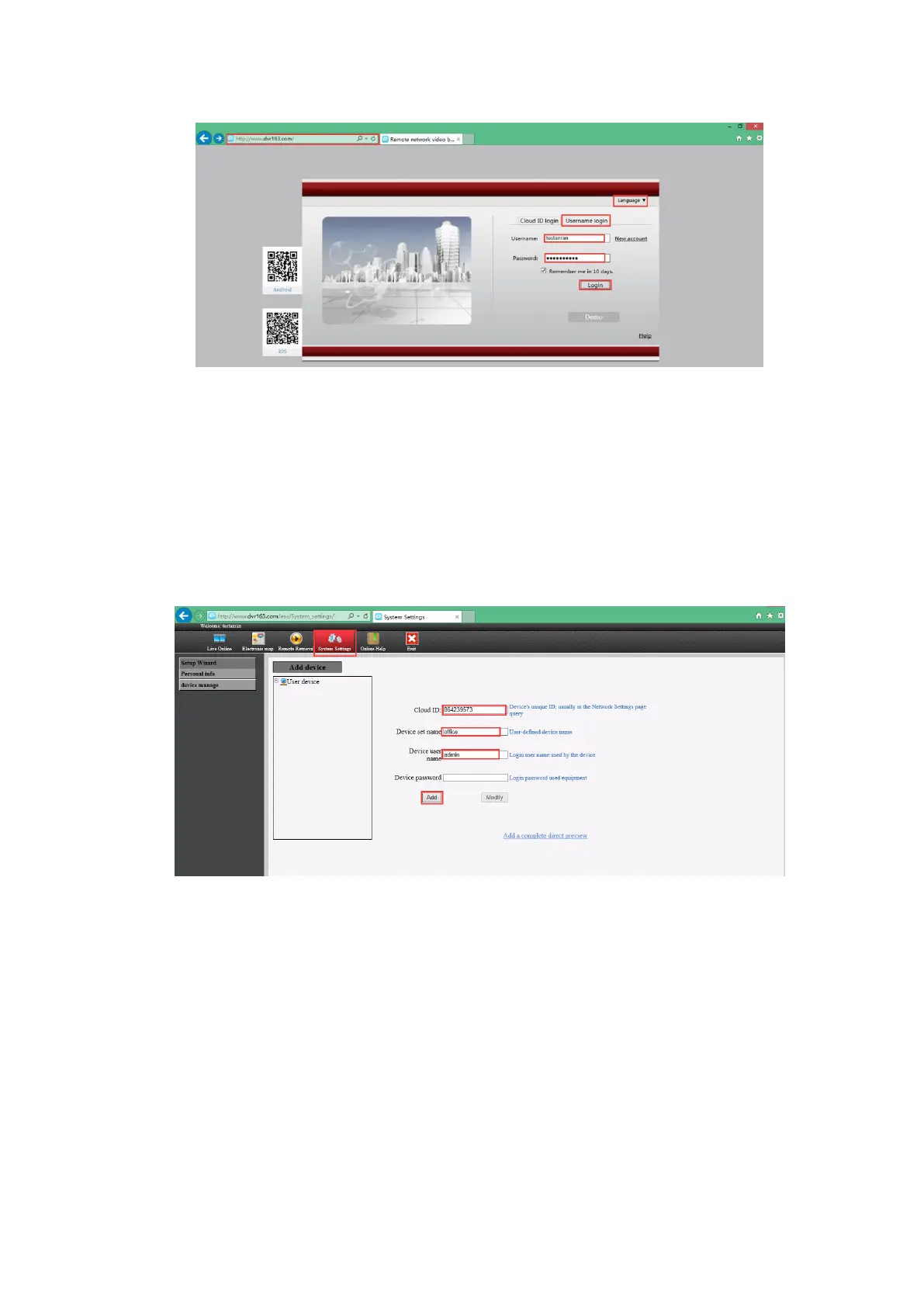
Step3. Input the following information and click “Add’’ to add the camera systems.
Cloud ID: Please input your Cloud ID (find it in the NVR's Network Setting, or right bottom
corner of the screen).
Device set name: Name it yourself.
Device user name: This is NVR system’s default user name, if you hadn't changed it, it should
be admin.
Device password: This is NVR system’s default password, if you hadn't changed it, it should
be blank. If you have modified the password, please enter the password which you
had set.
Step4. Click Live Online and Click install Update Controls. When you install the plug-in
file, please choose the English language.


 To Next Page