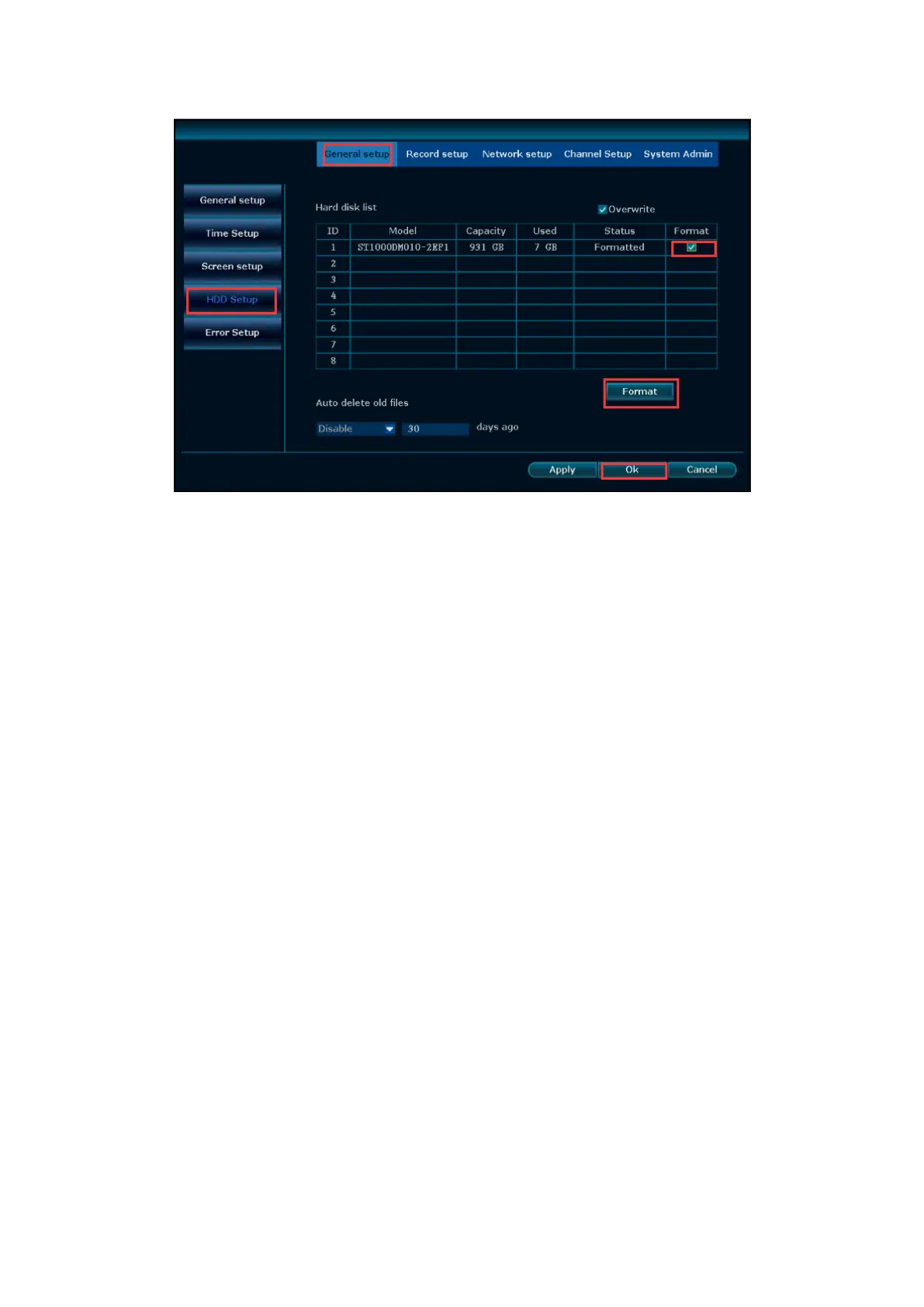
②System without preinstalled hard drive
Please refer to FAQ#Q1 to install the SATA hard drive and format it. After it's done,
the system will record automatically.
③Record Modes
Default recording mode is Time Record: 24x7 continuous recording. When the HDD is
full, the system will cycle recording and overwrite from earliest content. A 1TB HDD
records 4 720P/960P cameras for around 15 days, 8 720P/960P cameras for around
7.5 days. A 1TB HDD records 4 1080P cameras for around 8 days.
1. Manual Record, the shortcut to turn on record. Click right button→Manual Record
→select All→click All on→ click ok; You also can turn ON or turn OFF the record of
certain channels. Then you will see a red dot in the upper right corner of each video,
this indicates the system is recording.
Tips: If you only need record 24 hours everyday please set this function,
If you want to set "Record Plan" and "Motion Record", please don't
enable this function.


 To Next Page