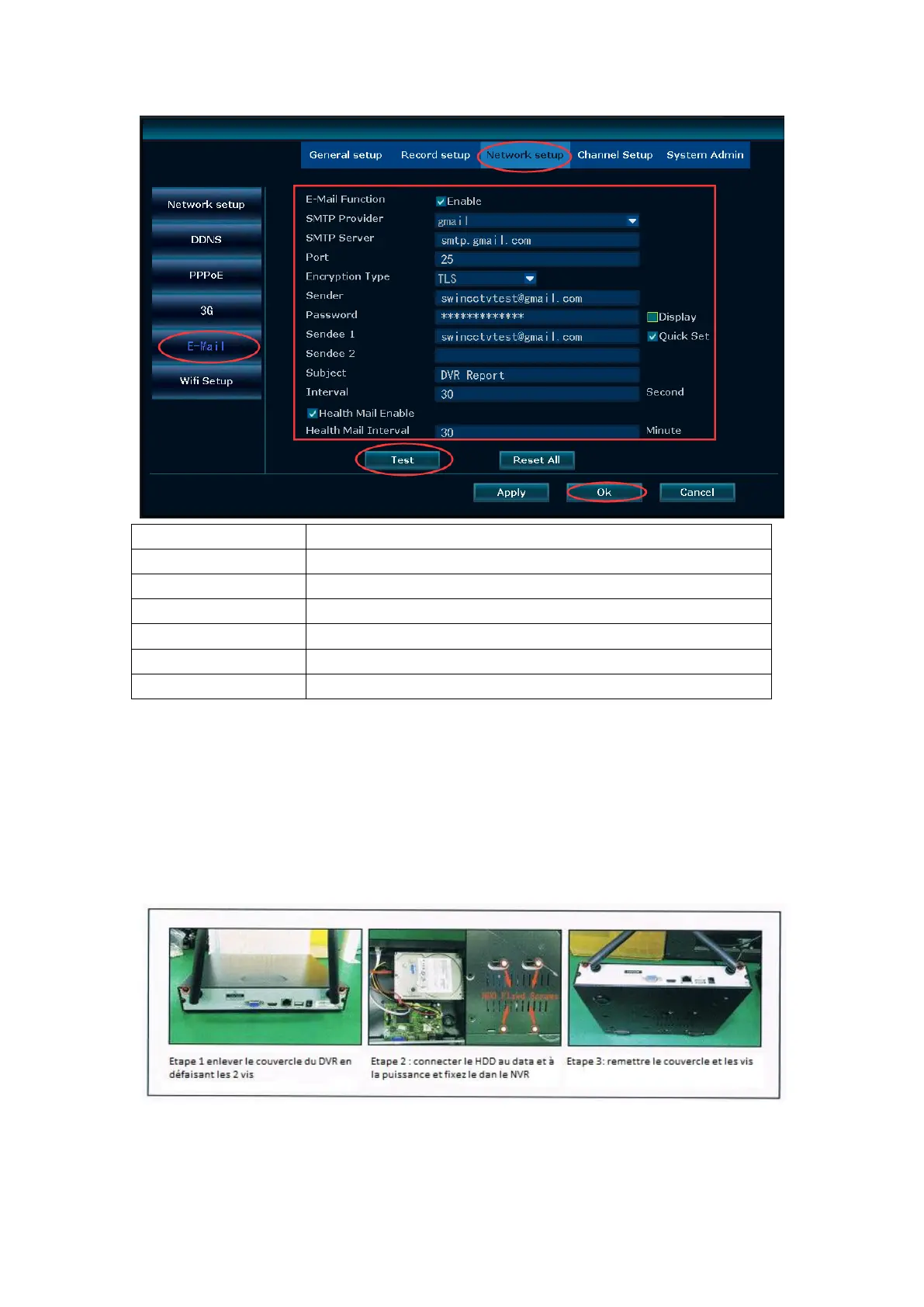
You email smtp server. For example: smtp.gmail.com
Sender e-mail address(Gmail e-mail address) to send alarm
Sender E-mail login password
Sender e-mail address to send alarm
Receiver e-mail address to receive alarm
15. FAQs
Q 1: How to install a hard drive inside NVR?
A: Before installing the hard drive disk, please cut the power if it was on.
Step1. The hard drive installation instructions please refer to the followings pictures
a. The installation instructions of the NVR without LCD monitor
b. The installation instructions of NVR with 7 inch LCD monitor


 To Next Page