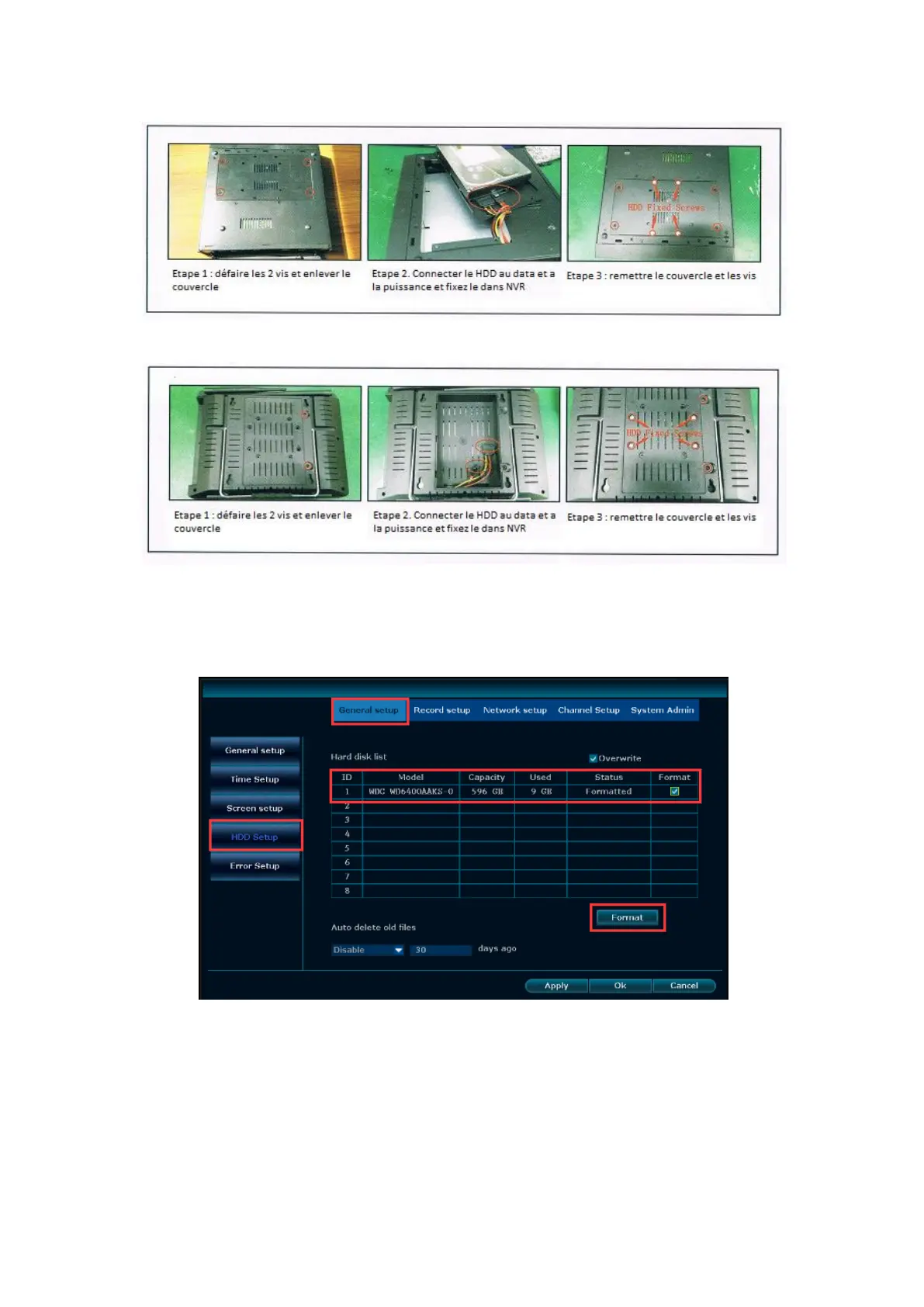
c. The installation instructions of NVR with 12 inch LCD monitor
Step2. Right click the mouse, System setup→General setup→HDD setup, then click
Format and format HDD.
Tips: You also can check if your system had already preinstalled the hard drive as
above method.
Q2: What do I do if I can’t get anything to display on my TV from the
NVR system?
A: Please use your TV remote control to switch signal source. If the signal source is
right, but you cannot see a display, it may be due to a resolution compatibility issue.


 To Next Page