The default output resolution of the NVR is 1280 x 1024, which may not be
compatible with some screens.
Here is how to solve it:
Step1. Connect the NVR to any other screen via VGA or HDMI to see if you can enter
the menu.
Step2. Go to System Setting→General Setting→Screen Setting→VGA resolution;
Change it to 1080p@60; apply to save it.
Tips: Never try 1080p@50 especially in US
Step3. Connect it back your primary screen. You should see it displayed on the screen
now.
Q3: How do I check if the camera is working or not?
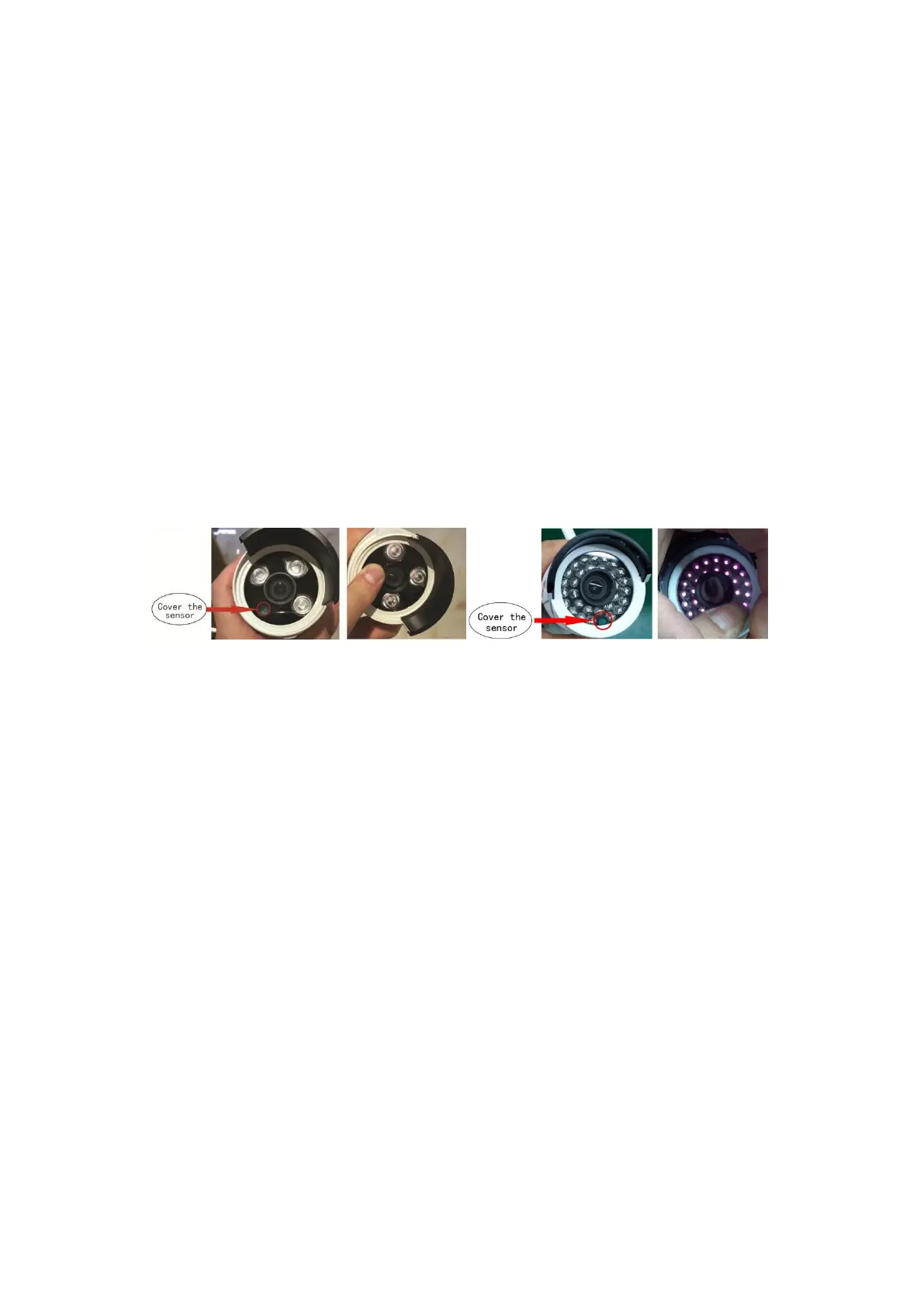
A: Please connect the power adapter firstly, then use your finger cover the sensor.
If the infrared light changed to red and has a click sound, the camera is working.
On the contrary, please change another power adapter to test it, if the infrared light
still had no change, maybe the camera is faulty, please contact with us.
Q4. What do I do when a camera doesn’t show any video on the NVR?
A: a. Check if the camera is working or not (please refer to FAQ #Q3).
b. Check the antenna connection is OK.
c. Take the camera near the NVR, then power on the camera and check that
camera is working or not (please refer to FAQ #Q3).
d. Please refer to 13 to delete the camera form channel and match code for the
camera.
If you had done all the above 4 actions, but still can’t get video on the screen,
please contact us for help.
Q5: How long is the Wireless range between the Camera and NVR?
A: The cameras WiFi range can reach up to 15-30m indoor, more than 50m outdoor.
But the actual wireless distance depends on the environment, keeping in mind that a
wall will weaken the wireless signal. Please refer to following pictures about the
detail.


 To Next Page