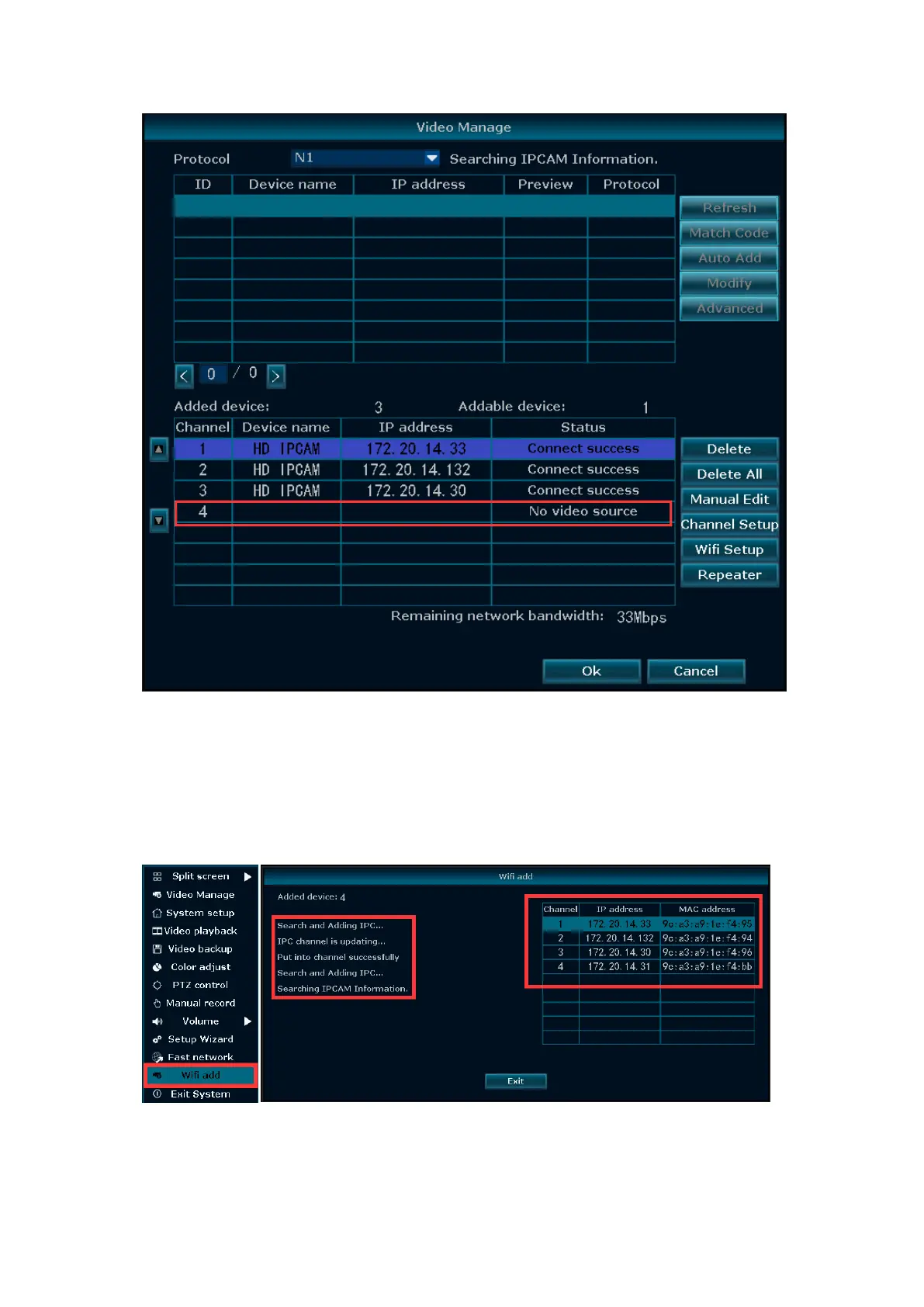
Match code the camera, you need to put the camera next to the NVR
1. Please put the camera next to the NVR, and connect the camera to the power
supply
2. Right click --go to "Wifi add", as pictured below
3. It will automatically search and add cameras
4. A few seconds later the picture will be displayed on the screen
5. Click "Exit" after all cameras are connected
NOTE: If you have been match code for this camera before, but now it is
disconnected (“IPC Disconnected”)
1. Please put the camera next to the NVR, and connect the camera to the power


 To Next Page