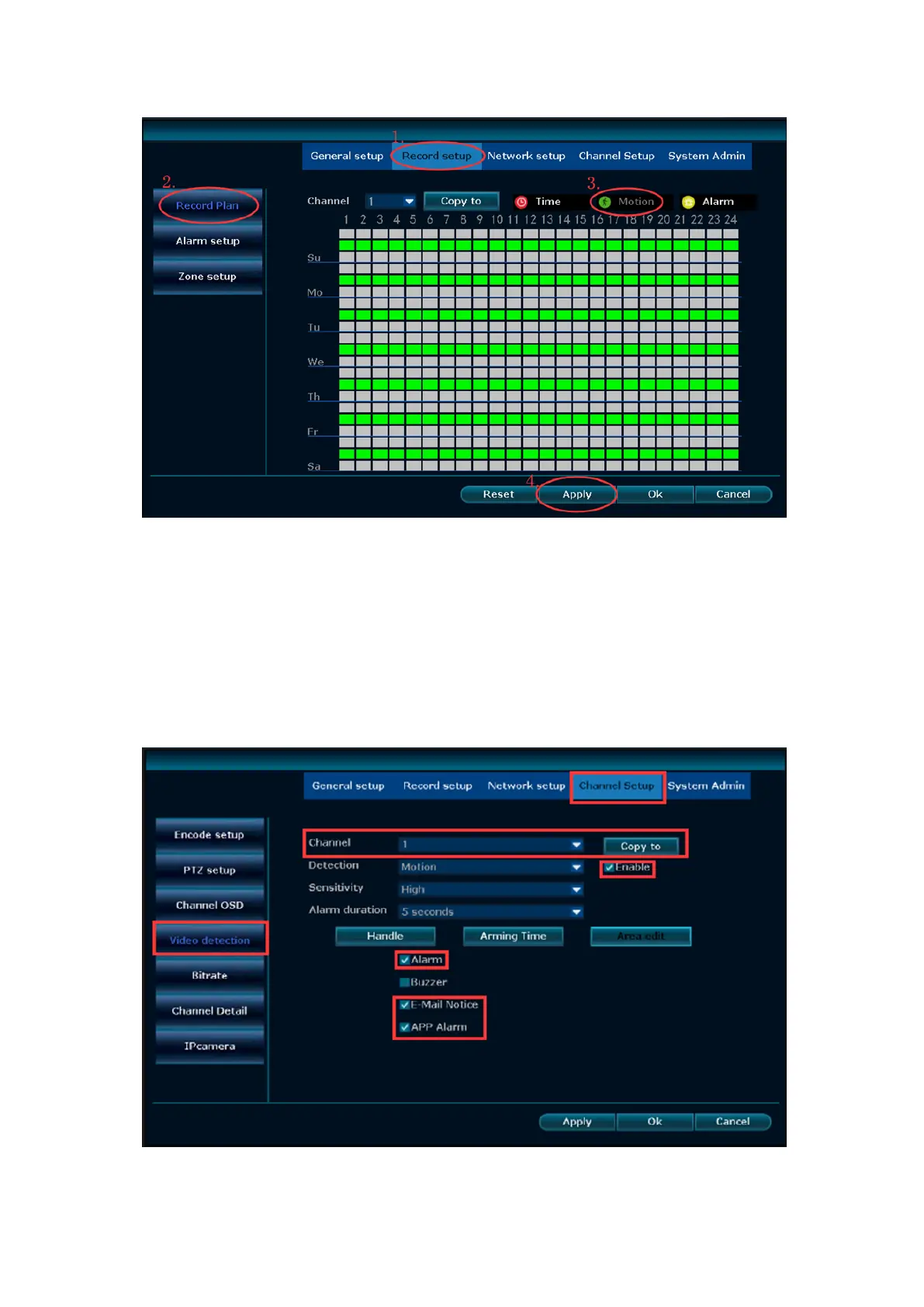
2. Go to the NVR system, right click: System setup→Channel Setup→Video detection.
Check Enable for Motion Detection
Channel: which camera you want to set Motion Record
Detection: choose "Motion" and need ticked "Enable"
Sensitivity: Sensitivity adjustment
Alarm duration: The length of the alarm recording
Arming time---click this button, which you can set the alarm time.
Area edit--- click this button, which you can modify the motion detection area.
(Default motion detection area is the entire area a camera can see)


 To Next Page