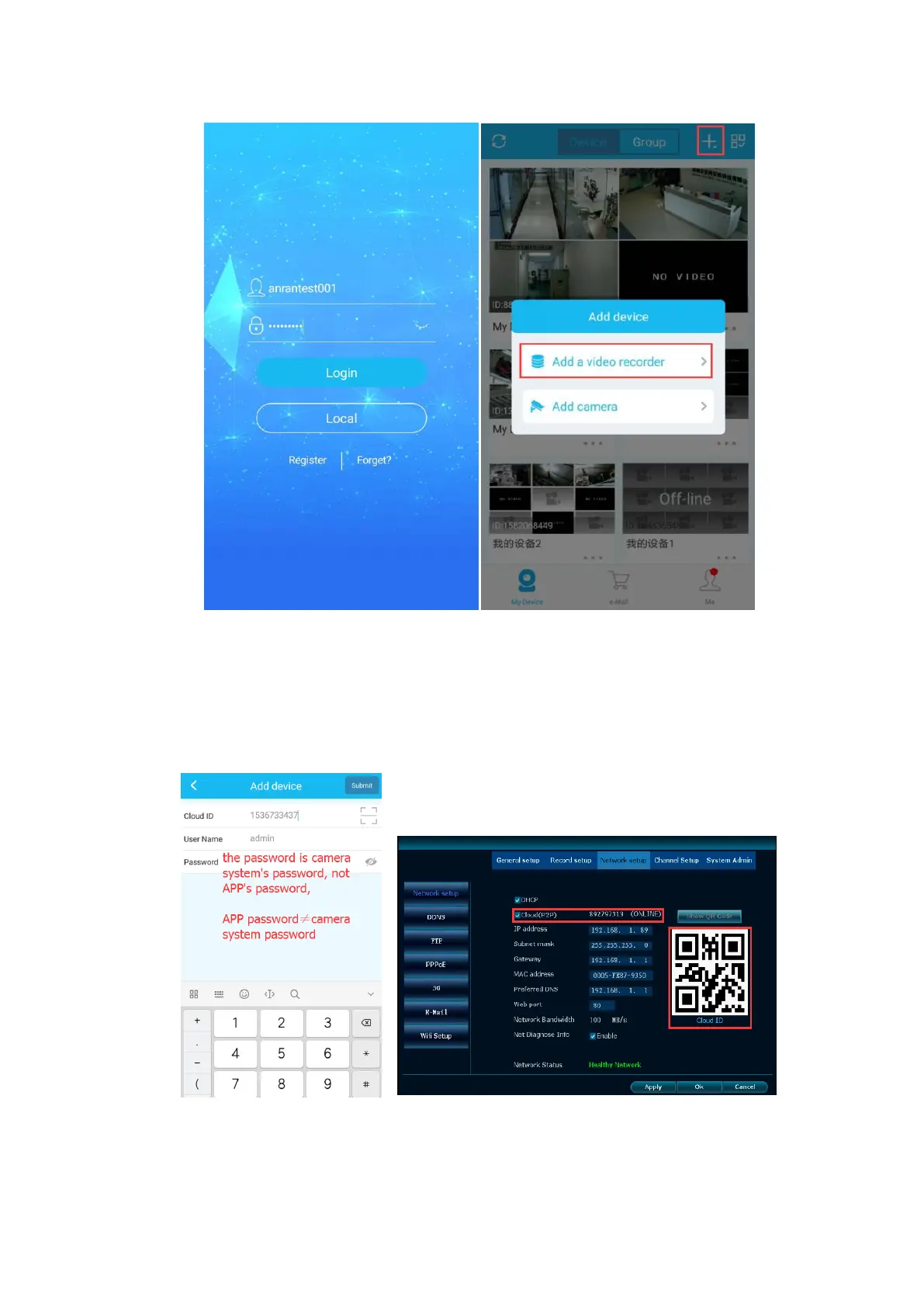
Step4.
Cloud ID: you can find it in the NVR's Network Setting
User Name: default user name is "admin"
Password: Default password is nothing. Leave blank.
Tips: If you have already set the password for your NVR, please enter it. Remember it
is the NVR system's password, not APP's password.
Step5. On your device list, click it to view the cameras.


 To Next Page