4 ElectricalConnections
Alwaysswitchoffthemainspowersupplybeforemakinganyconnections!.Electricalconnectionsshouldbecarriedoutby
acompetentperson.Ifindoubtconsultaqualifiedelectrician!Cablesshouldenterthecontrolunitthroughthecable
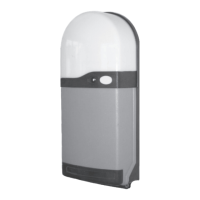
glandsfittedtothebottomoftheRS1unit.
4.1 Power
4.3 AddingLighting
4.5 ConnectingTheLG-1LightGridSystem(optional)
ConnectingaPushButton(HardWired)
4.6 ConnectingaStopPushButton(HardWired)
4.7 FittingtheAerial.Anexternalaerialissuppliedwhichmustbefittedasfollows:
4.8 FittingtheoptionalANSAAlarmSystem(TypeAL12/HW)
Thealarmunithastwovolt-freenormallyclosedterminalswhichcanbeoptionallyconnecteddirectlytothehome
alarmsystem.
The240vA/Cinputshouldbeconnectedfromanadjacent13amp3pinswitchedsocket.Theplugmustbefittedwitha5amp
fuse.ConnecttoterminalsmarkedMAINS,N,L,
MOTOR,
Connecttheblackwireto Sig
Connectthebrownwireto 24V (ConnectionsarefortheANSAPEC-3PhotocellUnit)
Removethefactoryfittedlinkconnecting0VandSig.
Connectboththebluewiresto 0V
Connectboththeblackwiresto Sig
Connectbothwhitewiresto Test
Connectbothbrownwiresto 24V
Apushtomake(normallyopen)pushbuttonorkeyswitchcanbeconnectedtoterminalsCOM&IMP,.
ThisprovidesanOPEN-STOP-CLOSE-STOPsequentialoperationwhichworksthesameasthekeyfob.
Apushtobreak(normallyclosed)pushbuttonorkeyswitchcanbeconnectedtoterminalsmarkedCOM&STP.
Activationwillstopthedoorimmediatelyregardlessofit’sposition.IfusedremovethefactoryfittedlinkconnectingCOM&STP.
Passthe135mmstainlesssteelwireaerialthroughthesmallholeinthebaseoftheRS1controlunitalongsidetherighthandcable
entryandconnecttotheterminalmarked “EXTA”.Itisalsopossibletofita'remote'aerial.Connectviacoaxcablewiththe
innerwirecoreconnectedtoterminal “EXTA”.Separatethescreenfromthewirecoreandconnecttoterminal “SC”,andstrip
off135mmofthescreenatthefreeend.
FixthealarmmodulealongsidethelefthandsideoftheRS1Unit.Passtheconnectionleadthroughtherighthandcableentry
glandandconnecttheplugtothesecurityalarmsocketontheRS1circuitboard(seefig8).
ConnectthealarmtripswitchcablestoterminalsAL1andAL2.Thetripswitchisfittedtothebottomofthedoorguideanda
magnetisfittedtothebottomdoorslattotriggerthesystemintheeventofabreakinattempt.
4.2 Motor
4.4 ConnectingaPhotoelectricCellSystem(optional)
4.6
Connectthemotorleadtotheterminalsmarked E,L1,L2,N3.Thebluemotorneutralcablemustbeconnectedto
theterminalmarkedN3.Connecttheyellow/greenearthcabletotheterminalmarkedE.Connectthebrownandblackmotor
powercablestoterminalsL1&L2.EnsurethatmotordirectionmatchestheopenandcloseLEDsifnecessaryinterchangethe
motorcablesatterminalsL1&L2(Seefigure9).
TerminalsmarkedLIGHT,E,L,N,providea240voltaclightingoutputwhichfunctionsthesameasthebuiltonlight.Lighting
switchesonfor4minuteswheneverthedoorisoperatedandturnsoffautomatically.Maximumload400watts.
Removethefactoryfittedlinkconnecting0VandSig.
Connectthebluewireto 0V·
·
·
·
·
·
·
Note:
Page3


 To Next Page