6 Photoelectric Cell Safety System (optional)
6.1 Function
6.2 Testing
6.3 Installation
6.4 Howtoalignthephotoelectricsensor
6.5 Maintenance
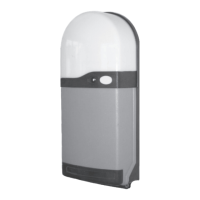
The ANSA photoelectric cell (PEC) projects an invisible infra red beam across the door opening which is focused on a reflective lens
target. Obstructions within the doorway blocking the safety beam are sensed and a safety signal is transmitted to the RS1 Control Unit.
The safety beam has no effect on an opening door.
Breaking the safety beam prevents closure of an open door and will also stop and re-open a closing door.
The RS1 Control Unit continuously monitors the photoelectric sensor. If a fault or obstruction is detected the system prohibits closure
of the door, this is indicated by the multi function red LED which will flash quickly. Closure of the door is then only possible in “hold to
run” mode (See section 2.4).
With the photocell correctly adjusted and working the green and yellow LED's fitted to the sensor and the red indicator LED fitted to
the RS1 control unit will be illuminated. Breaking the photo-beam will switch off the yellow LED fitted to the sensor and cause the red
indicator LED to flash quickly , confirming correct operation. Once a month check the system for correct operation. using a keyfob,
stand inside the garage and close the door and whilst it is moving - block the photobeam using a piece of cardboard or similar. The door
should stop and then reverse to the fully open position.
Fix the photo cell brackets to the door guides at a recommended height of 300mm using the self-drilling screws provided. Fit the
photoelectric sensor to the pivot bracket using 2 noM4 x 35mm nuts and bolts provided ensuring that the flat and shake proof washers
are correctly fitted. Attach the pivot bracket to the photocell bracket using 2 no M4 x 15mm nuts and bolts provided. Fit the photocell
reflector to the opposite bracket using 2 noM4 x15mm nuts and bolts provided. The diagram shows a right hand installation. The
photo sensor can be fitted left hand using a similar assembly.
ThegreenLEDisilluminatedwhenthephotoelectriccellisswitchedon.Forreliableoperationitisimportantthatthephotobeam
is “centred” onthereflectorusingthefollowingset-upprocedure.AdjustfixingscrewsA&Bsothatthephotoelectricsensorand
pivotbracketcanbemovedupanddownandlefttoright.MovethesensoruntiltheyellowLEDflashesindicatingthatalignment
isclose.TheyellowLEDwillilluminatesteadywhenthesensoriscorrectlyaligned.TightenscrewsA&Binthisposition.
PeriodicallycleanthePECsensorlensandreflectorwithadampclothandwipedry.
·
·
(Refer to figure 11)
(ANSATypePEC-3)
M4x15
nuts
and
bolts
Phototcell
Bracket
Reflector
M4Nuts
Pivot
Bracket
Photoelectric
Cell
M4x35
bolt&flat
washer
M4x15
nuts&
bolts
Selfdrill&
selftapping
screws
(A)
(B)
Figure11
Please note: Before closing the door always
check that the door opening is free from
obstructions and do not leave objects in the
path of the door.
The photoelectric cell sensor will not detect
objects positioned below or above the infra
red beam. No one should enter or leave the
garage while the door is in motion.
Ye
llow LED
G
reen LED
GreenLEDon
-Poweron
YellowLEDon
-CorrectAlignment
YellowLEDoff
-Beamisobstructed
-Beamneedsaligningtoreflector
-Sensororreflectorisdirty
YellowLEDFlashing
-Beamalignmentispoor
Page5


 To Next Page