9. Control Settings
B-100/B-100X Bubble Machine can be operated in the following modes. The machine can only accept 1 type of
signal at a time. When using different control modes at the same time, the machine will work according to built-in
control priority:
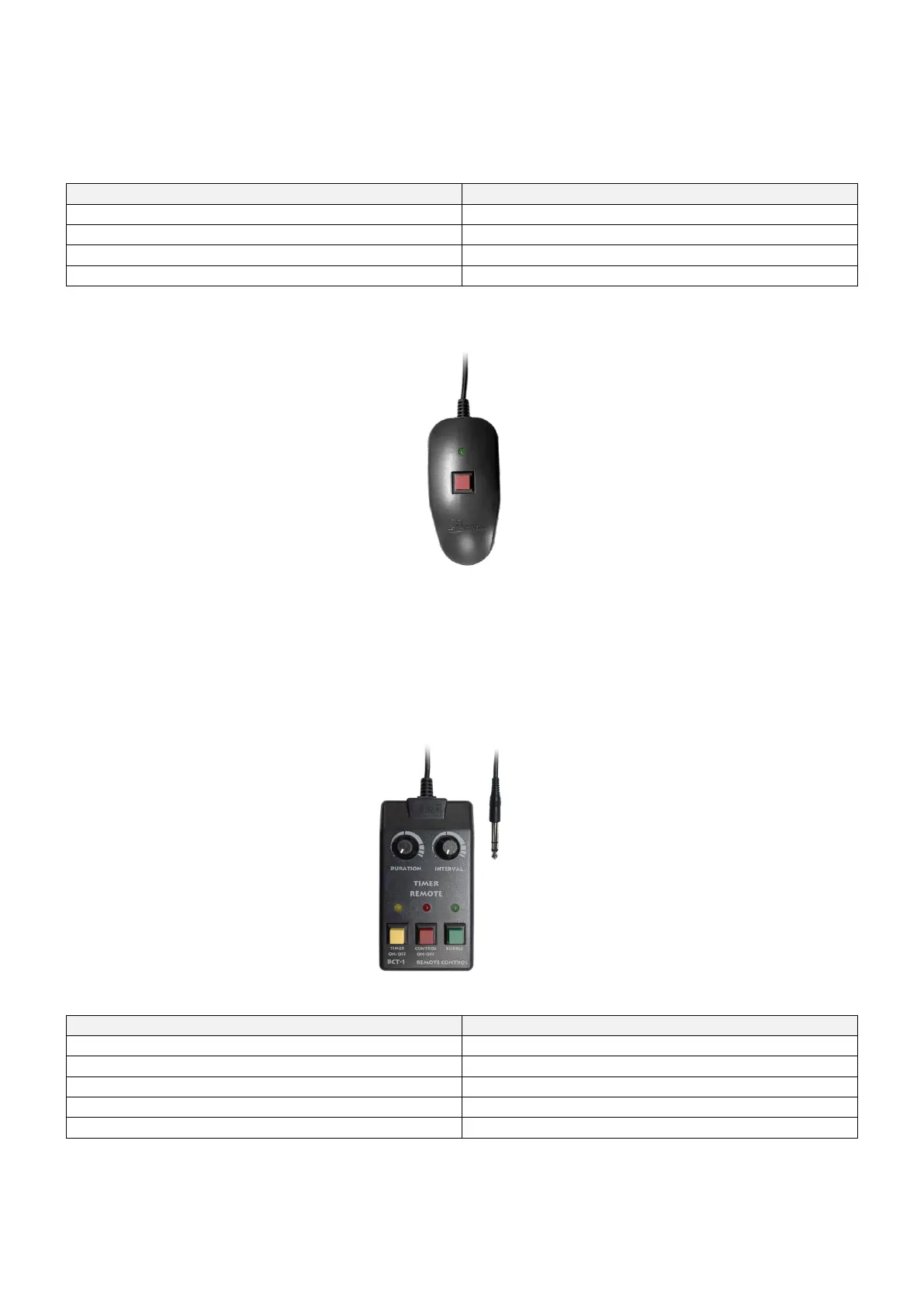
10. Z-10 Cable Remote (Optional)
Z-10 Cable Remote is an optional accessory for B-100X Bubble Machine, please see instruction below;
1. Plug the cable remote to the connector on the back of the machine;
2. When the green indicator light is solid, it’s ready to bubble;
3. Press the red button to start bubbling and release the red button to stop bubbling.
** If you encounter any problem, please contact your local Antari dealer for assistant.
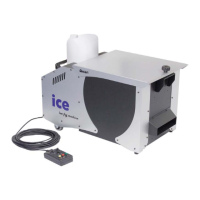
11. BCT-1 Timer Cable Remote (Optional)
BCT-1 Timer Cable Remote is an optional accessory for B-100X Bubble Machine, please see instruction below;
Note:
** You must turn on the power of the remote in order to use it.
** If the TIMER function is off, you can still press the Green button to start bubbling.
** The “DURATION” and “INTERVAL” knobs are using analog signal, therefore can’t define a specific time range.
** If you encounter any problem, please contact your local Antari dealer for assistant.



 To Next Page