Need help?
Do you have a question about the Antec 2.0 and is the answer not in the manual?
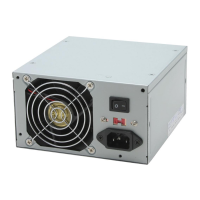
Details the dual-fan system for noise reduction and cooling, with thermal control.
Describes PFC circuitry for EU models, adhering to EN61000-3-2 standards.
Explains the main power switch and the soft on/off feature for computer control.
Ensure the voltage switch matches local power (115V/230V) to prevent damage.
Guide to connecting 24-pin, 4-pin +12V, peripheral, SATA, and PCIe connectors.
Instructions for connecting the 3-pin fan signal connector for monitoring.
Directs users to the website for detailed specifications.
Provides Antec's US and European contact details for technical support.
 General
| Model | Antec 2.0 |
|---|---|
| Input Frequency Range | 50-60Hz |
| Over Voltage Protection | Yes |
| Modular | No |
| Maximum Power | 500W |
| Input Voltage | 100-240V |
| Output | +3.3V@20A, +5V@20A, -12V@0.5A, +5VSB@2.5A |
| Connectors | 1x SATA, 1x Floppy |
| Weight | 1.5kg |
| Dimensions | 150mm x 86mm x 140mm |

 To Next Page