16
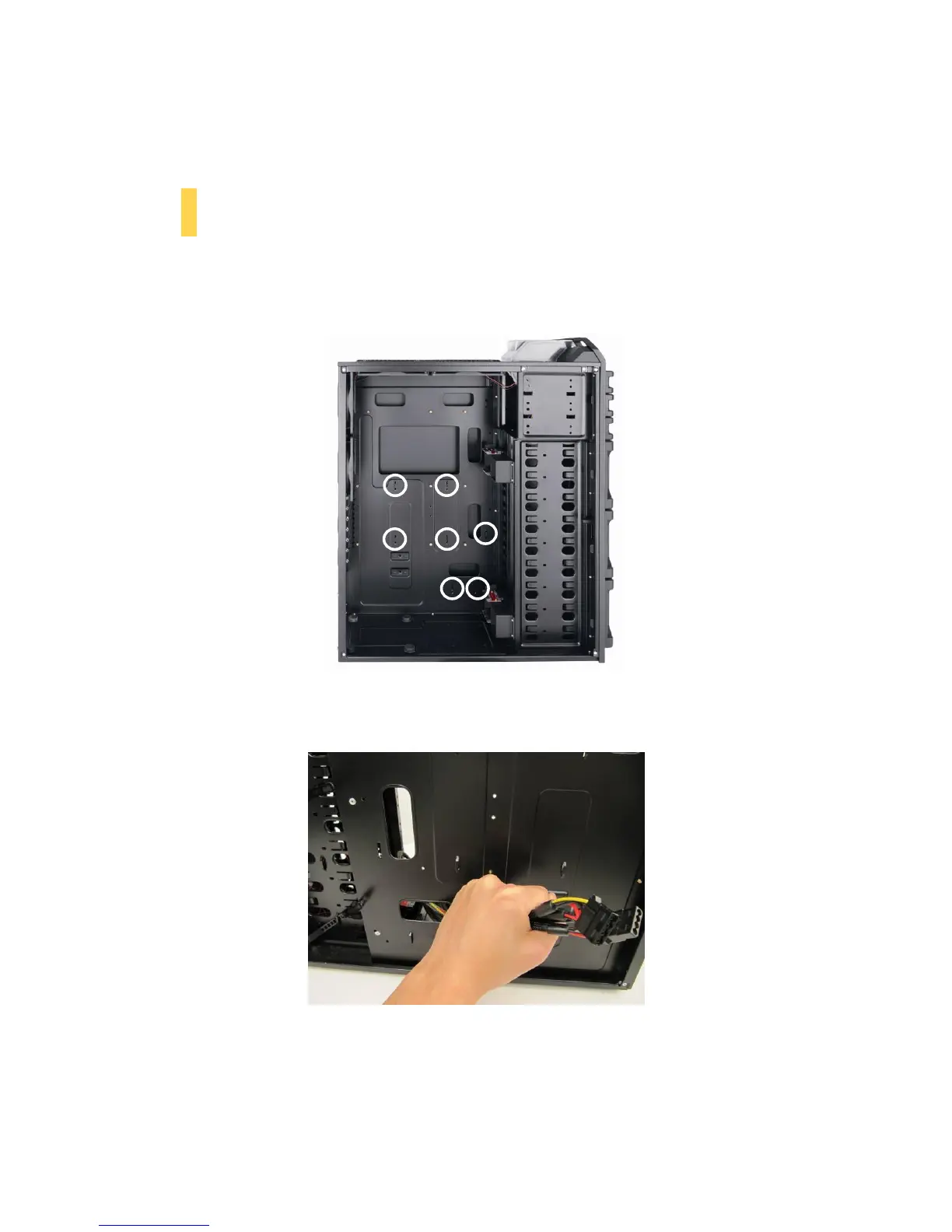
2. With the case upright, place the power supply on the four silicone pads on the bottom of the case.
Push the power supply to the back of the case and align the mounting holes, and attach the power
supply to the case with the screws provided.
2.5 CABLE MANAGEMENT
There is a cable management compartment between the motherboard and right side panel, as well as cable ties
located on the back of the motherboard panel. You can tuck excess cables in this compartment or route them
to the drive bays.
Cable management ties
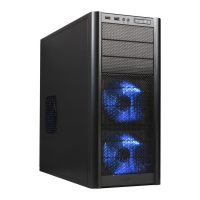
1. Choose the cables you would like to pass through the holes behind the motherboard tray. Pull them
through the hole toward the right side of the case.
Using cable management.
2. Use the cable ties provided to hold your cables in place. Cable ties can be anchored to tiedown
locations located on the back of the motherboard panel.


 To Next Page