24
2.8 USING THE TOP 2.5” HOT-SWAP BAY
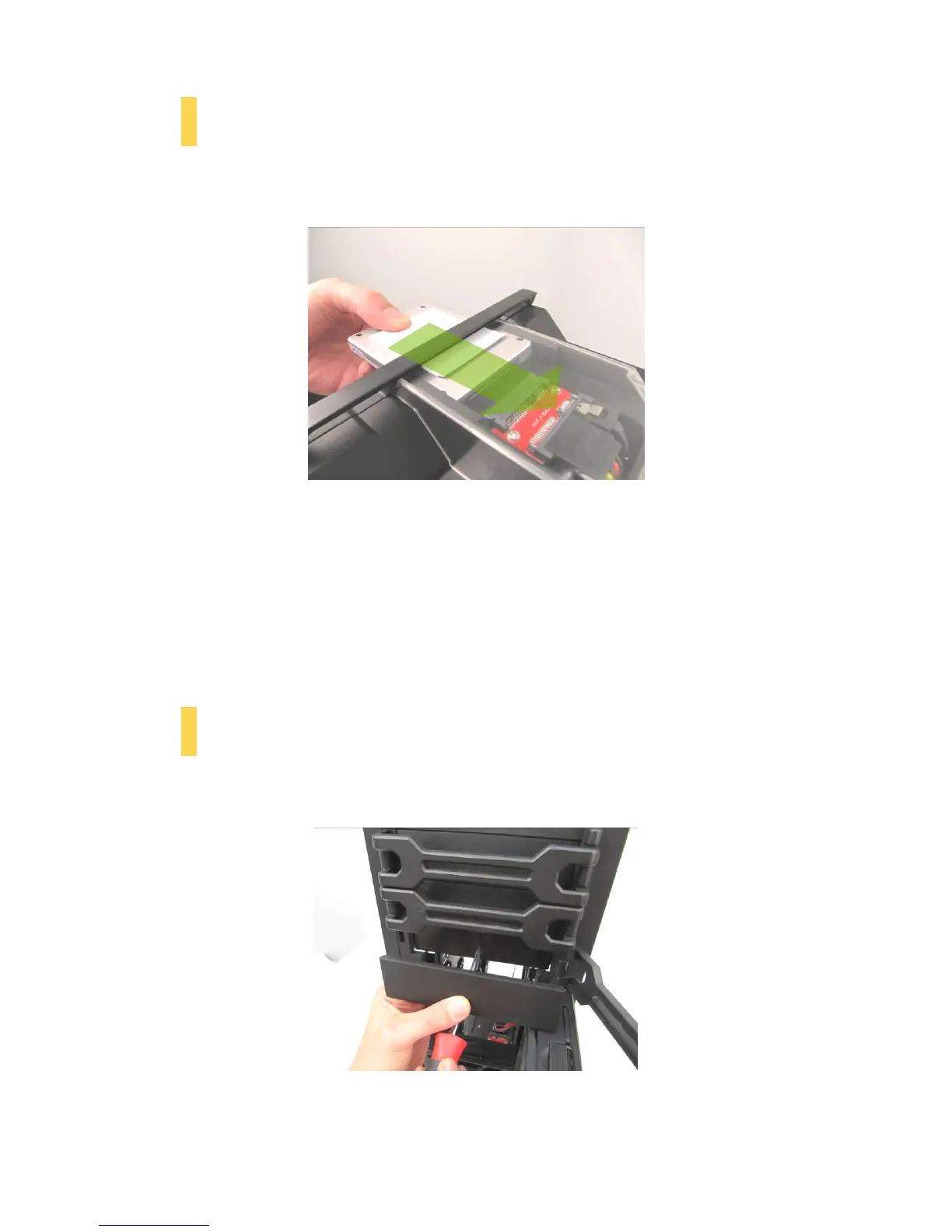
The DF-85’s top 2.5” hard drive bay is hot-swap capable. To use the hot-swap feature, ensure that your
motherboard is configured for hot-swap. Make sure to install all related drivers that come with your
motherboard and turn on the AHCI function in the BIOS to activate the hot swap feature.
Using the top 2.5” hot-swap drive bay
A. LOADING:
1. Align your SATA HDD with the drive bay with the connector facing the case.
2. Push the HDD all the way into the bay until it locks into position.
B. UNLOADING:
1. Ensure that your HDD is not in use.
2. Carefully pull the HDD out of the hot-swap drive bay.
2.9 EXTERNAL 5.25” DEVICE INSTALLATION
There are three externally accessible 5.25” drive bays. Before you begin, remove both side panels.
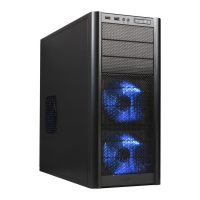
1. First, remove the drive bay faceplate and metal cover plate as shown below.
The plastic drive bay faceplate should pop free. A screwdriver may be needed to remove the metal cover
plate.


 To Next Page