18
The DF-85 includes three Fleet-Release™ access doors. With the front bezel facing you, they are located by
default on the bottom nine drive bay slots (each door covers three drive bays).
1. Open the Fleet-Release
TM
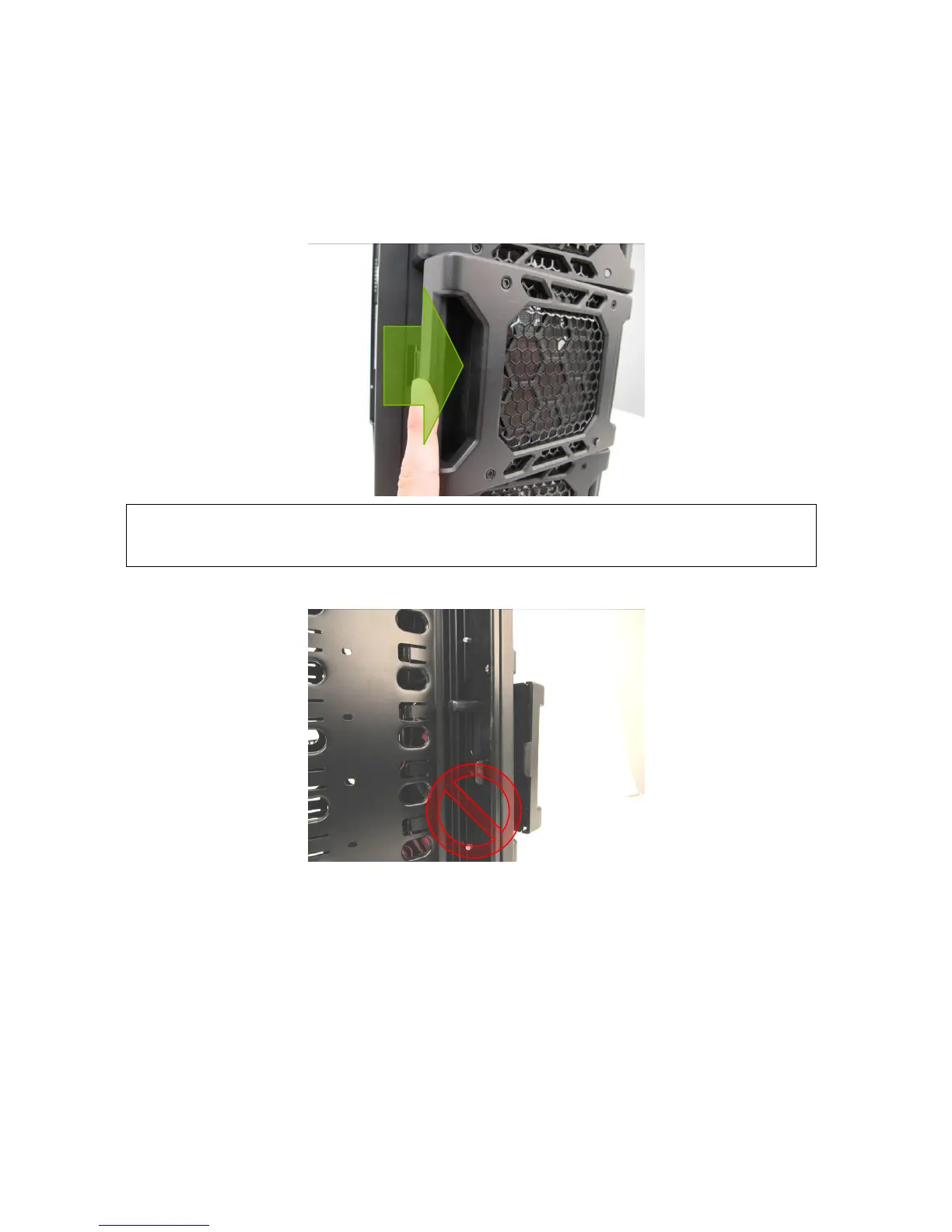
access door. Gently press the left side to release it, and then swing it open.
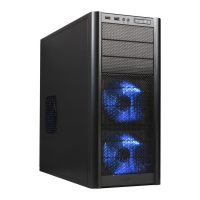
Do not push the front panel retention clips.
2. Insert your 3.5” device into the 3.5” drive cage from the front of the case. You will feel resistance
from presstabs on either side of the drive cage which will create friction against the drive. Push gently
until the drive’s mounting holes align with the screw holes in the cage.
Note: Do not attempt to open up the Fleet-Release™ access door by removing the left side panel
and pushing the front panel retention clips – they do not hold the Fleet-Release™ access
doors in place.


 To Next Page