20
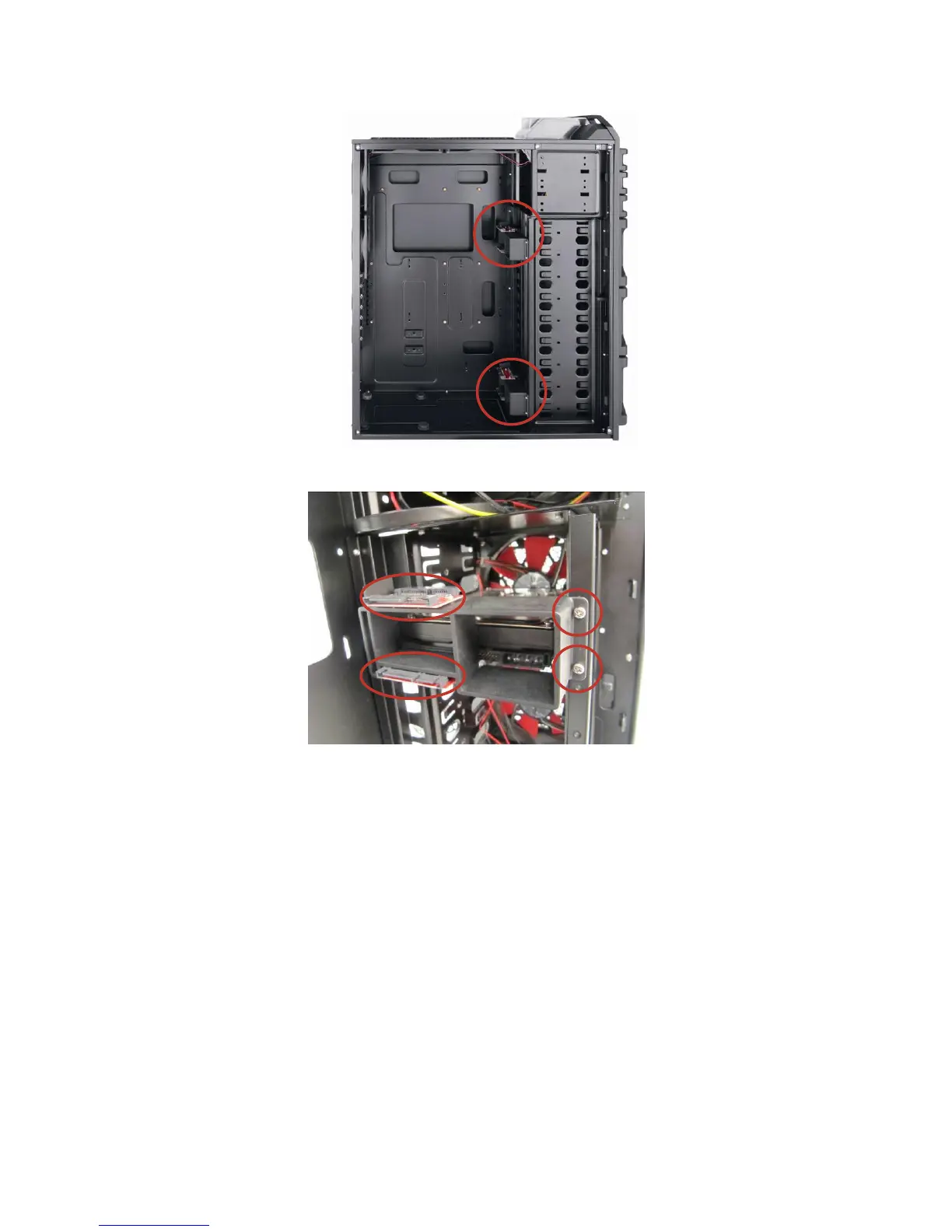
Fleet-Swap™ default locations
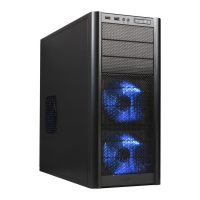
A – Fleet-Swap™ SATA and power connectors
B – Fleet-Swap™ bay screws
2. You may wish to move the Fleet-Swap bays. There are two screws securing each Fleet-Swap bay to
the drive cage. To move or remove the Fleet-Swap bay, remove these screws, slide the Fleet-Swap bay
towards the side opposite the screws, and carefully remove it.


 To Next Page