31
4.2 TOP 140 MM TWOCOOL™ FANS
The DF-85 comes with two 140mm TwoCool™ fans. This fan has a two-speed switch that lets you choose the
speed best suited to your need. These two switches are located at the rear of the case. The default fan speed
setting is Low.
140MM FAN SPECIFICATIONS:
Size: 140 x 25mm two-speed fan
Rated Voltage: 12V DC
Operating Voltage: 10.8V ~ 13.2 V
0.8 mm-H
2
O
(0.03inch-H
2
O)
0.28 mm-H
2
O
(0.01inch-H
2
O)
4.3 FRONT 120 MM RED LED FANS
The DF-85 comes with three 120 x 25mm red LED fans which are pre-installed in front of each Fleet-
Release™ access door to cool the hard drives. These fans are installed so that air will be blown into the case.
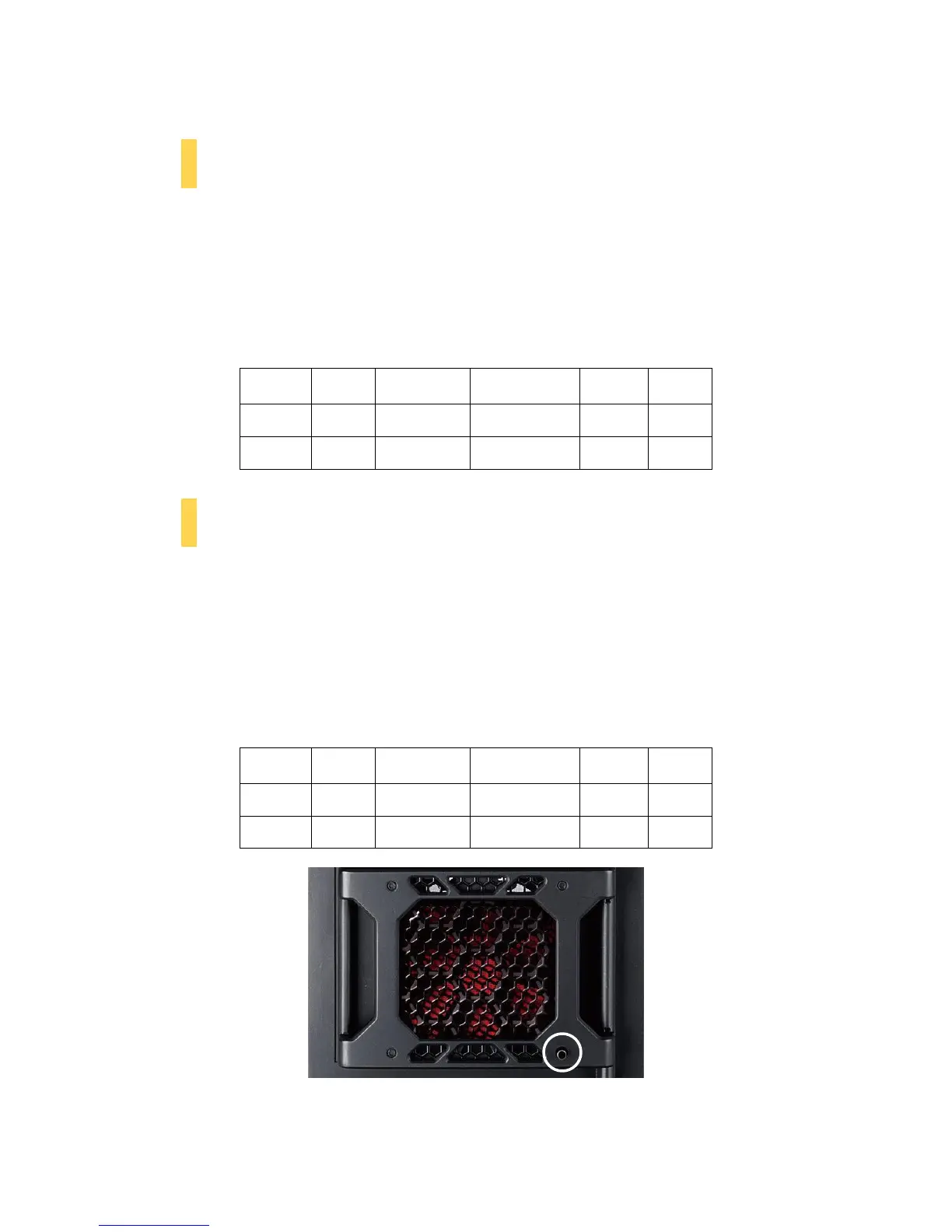
Each fan comes with a speed control knob at the front of the faceplate. Turn the knob clockwise to increase
the speed. The lowest speed is 1200 rpm, while the highest speed is 2000 rpm.
120MM RED LED FAN SPECIFICATIONS:
Size: 120 x 25mm speed control fan
Rated Voltage: 12V DC
Operating Voltage: 10.8V ~ 13.2 V
2.55 mm-H
2
O
(0.1inch-H
2
O)
0.637 mm-H
2
O
(0.03inch-H
2
O)
Turn this knob to adjust the fan.


 To Next Page