Need help?
Do you have a question about the Antec HCP-1200 and is the answer not in the manual?
Describes industrial-grade safety circuitry like OCP, OVP, SCP, OPP, and OTP for component protection.
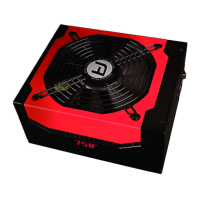
Explains the PWM fan's speed control for quiet operation based on load and ambient temperature.
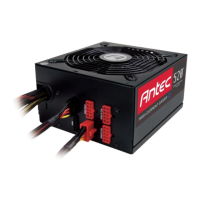
Describes the black and red jacks on the PSU for connecting optional cables.
Explains the eight separate +12V rails and their assignment to different connectors.
Install the HCP-1200 PSU into your computer case using the provided screws.
Connect the 24-pin main connector to the motherboard, detaching the 4-pin if needed.
Connect the 8-pin or 4+4-pin connector to the CPU socket on the motherboard.
Connect PCI-E cables to the red sockets on the PSU if needed for graphics cards.
Connect the heavy-duty AC power cord to the PSU's AC inlet.
Details on using 6-pin or 8-pin PCI-E connectors for graphics cards.
Connect hard drives, optical drives using Molex or SATA connectors.
Turn the PSU switch to the "|" position after all connections are secured.
 General
| Wattage | 1200W |
|---|---|
| Modularity | Fully Modular |
| Form Factor | ATX |
| Input Voltage | 100-240V |
| PFC | Active PFC |
| Efficiency | 80 Plus Gold |
| Dimensions | 150mm x 160mm x 86mm |
| Input Frequency | 50-60Hz |
| Connectors | 12 x SATA |
| Protection | OVP, UVP, OCP, OPP, SCP, OTP |
| Type | ATX Power Supply |
| Output | +3.3V@25A, +5V@25A, +12V@100A, -12V@0.8A, +5VSB@3A |

 To Next Page