
 Need help?
Do you have a question about the Antec LANBOY AIR and is the answer not in the manual?
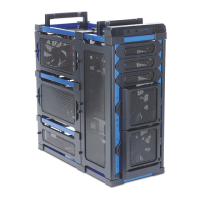
Overview of chassis components including drive bays, hardware mounts, and cooling features.
Details on chassis type, color, dimensions, weight, cooling, drive bays, expansion slots, and front I/O panel.
Inventory and identification of screws included in the chassis toolbox for assembly and mounting hardware.
Important safety precautions and preparation steps for building with the LanBoy Air chassis.
Instructions for initial chassis setup, including removing side panels for component access.
Guide to installing 3.5" hard drives using the AirMount™ suspension system for reduced vibration.
Instructions for installing 5.25" devices like optical drives into the chassis's accessible bays.
Steps for mounting 2.5" SSD drives at the bottom of the chassis, utilizing rubber grommets.
Procedure for removing and repositioning the motherboard tray and PSU mount for easier installation.
Guide for installing the motherboard onto the tray or directly into the chassis, including standoff placement.
Instructions for mounting the power supply unit (PSU) into the chassis, considering fan orientation.
Tips and techniques for organizing and securing internal cables within the chassis for better airflow.
Connecting the front panel USB 2.0 cable to the motherboard header, verifying pin alignment.
Information on utilizing the front panel USB 3.0 connector, referring to the included instruction sheet.
Connecting front panel audio connectors (AC'97 or HD Audio) to the motherboard or sound card.
Attaching the grounding wire for the front panel ports to the chassis using a PSU screw.
Connecting front panel power/reset switches and HDD LEDs to motherboard headers, noting polarity.
Guidance on reconfiguring motherboard header pins for front panel connectors like USB or audio.
Overview of the fans included with the LanBoy Air chassis: front, side, and rear fan types.
Details on the two-speed rear and side 120mm TwoCool™ LED fans, including fan control features.
Information on the front-mounted 120mm LED fans with manual speed adjustment knobs on the faceplate.
Locations and recommendations for installing additional optional 120mm fans in various chassis positions.
Information on the chassis's water cooling readiness, radiator mounting, and grommet locations.
 General
| Type | PC |
|---|---|
| Material | Plastic |
| Form factor | Full Tower |
| Product color | Black |
| LED indicators | Yes |
| Supported motherboard form factors | ATX, Micro ATX, Mini-ITX |
| External drive bays | 3 x 5.25'' |
| Internal drive bays | 6 x 3.5''; 2 x 2.5'' |
| USB 2.0 ports quantity | 2 |
| USB 3.2 Gen 1 (3.1 Gen 1) Type-A ports quantity | 1 |
| Package depth | 580 mm |
| Package width | 288 mm |
| Package height | 590 mm |
| Package weight | 11000 g |
| Side fans installed | 1x 120 mm |
| Front fans installed | 2x 120 mm |
| Number of side fans supported (max) | 6 |
 Weight and Dimensions
| Depth | 512 mm |
|---|---|
| Width | 222 mm |
| Height | 517 mm |
| Weight | 9200 g |

 To Next Page
