18
2.8
C
ABLE
M
ANAGEMENT
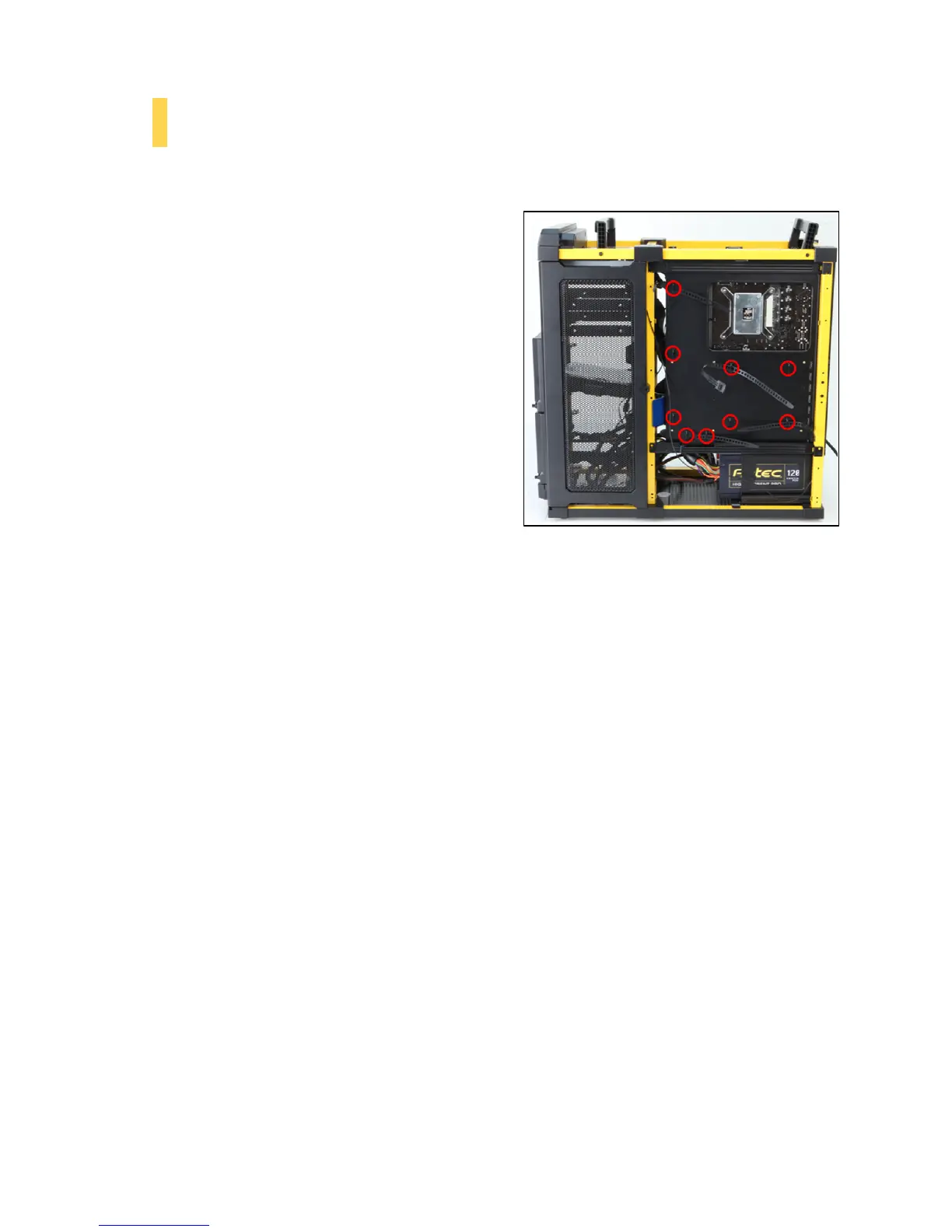
There is a cable management area between the motherboard tray and right side panel, as well as cable ties located on the
back of the motherboard panel. You can tuck excess cables into this compartment.
1. With the front of the chassis facing left, remove the
thumbscrews from the larger side panel, and remove the
panel. You may also need to remove the smaller side
panel, depending on the horizontal orientation of your
drives.
2. Choose the cables you would like to pass through the
open sections to behind the motherboard tray. Pull
these cables through and secure them using the cable
management ties.
3. Use the cable ties provided to hold your cables in place.
Cable ties can be anchored to tiedown locations located
on the back of the motherboard tray (Figure 28).
Figure 28 – Cable management tiedown areas


 To Next Page