14
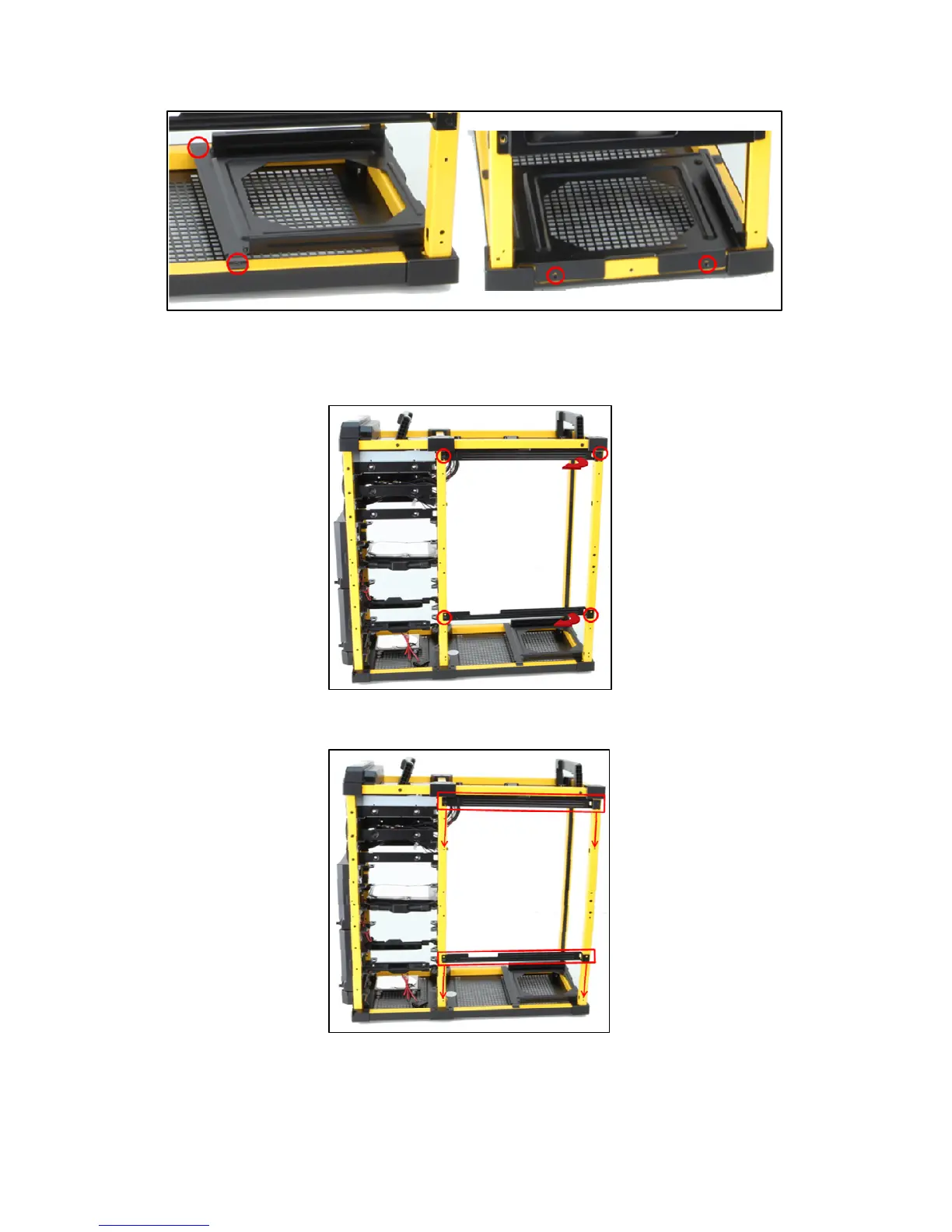
5. Working with the right side of the chassis, remove the two screws securing each of the rails that the
motherboard slides on. Remove the rails by pulling on the side facing the front of the chassis first. (Figure 19).
6. Install the rails in the lower slots indicated in Figure 20 and secure using the screws you just removed.
7. Install the PSU mount at the top of the chassis, flipping the PSU mount and installing screws in the top and
rear of the chassis. See Figure 21 for new screw locations.
Figure 18 – PSU mount screw locations
Figure 19 – Removing the motherboard tray rails
Figure 20 – New rail positions


 To Next Page