15
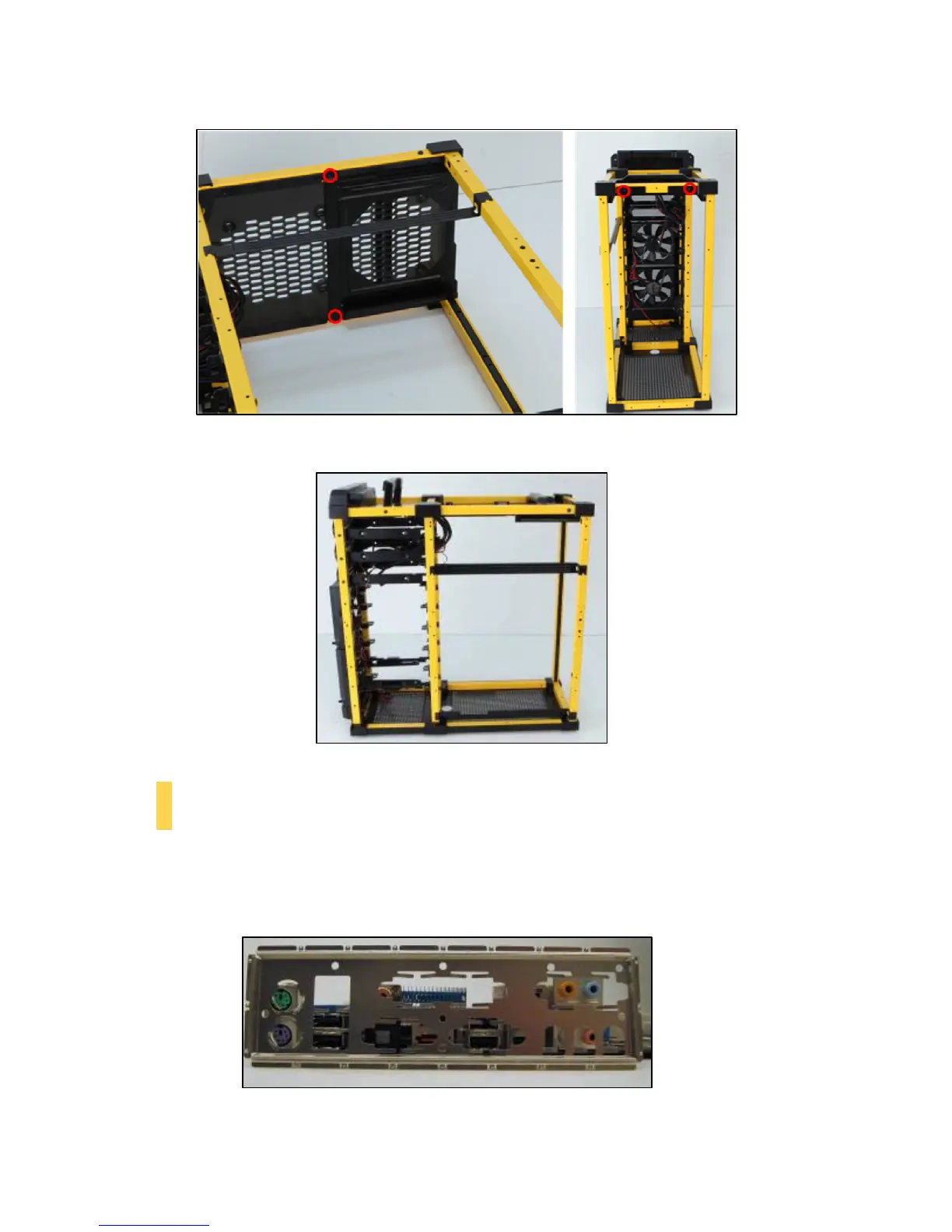
8. Once you have secured the rails and PSU mount, the chassis should now look similar to Figure 22.
2.6 M
OTHERBOARD
I
NSTALLATION
Before proceeding:
• Check the manual for your CPU cooler to find out if there are steps you must do before installing the motherboard
• Make sure you have the correct I/O panel for your motherboard (Figure 23). If the panel provided with the
chassis isn’t suitable, please contact your motherboard manufacturer for the correct I/O panel.
Figure 21 – PSU mount screw locations
Figure 22
Figure 23 – Make sure you have the correct I/O panel. This
mismatched I/O panel can cause difficulties down the road.


 To Next Page