8
C
ONNECTING THE
F
RONT
I/O
P
ORTS
3.1
USB
2.0
P
ORTS
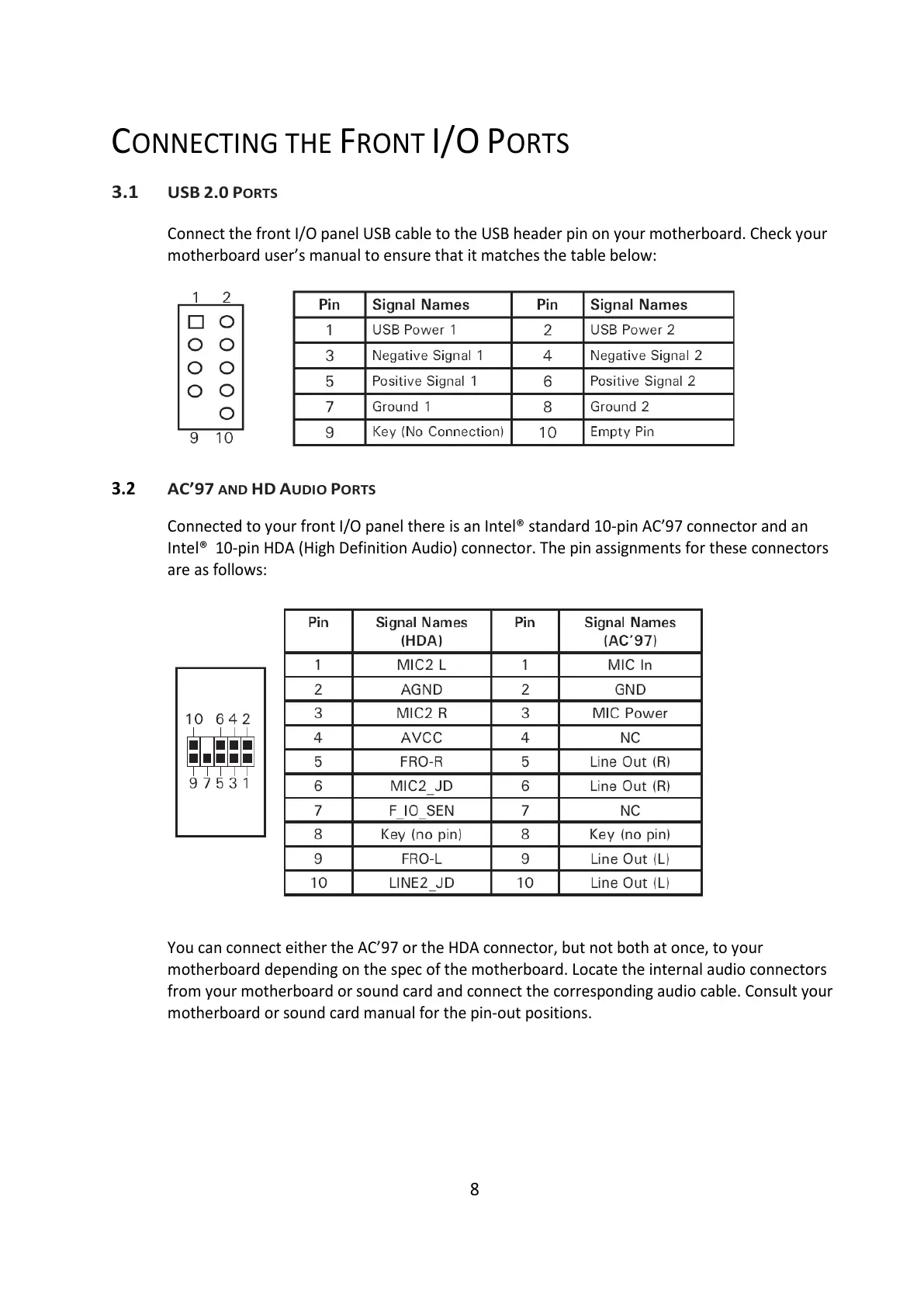
Connect the front I/O panel USB cable to the USB header pin on your motherboard. Check your
motherboard user’s manual to ensure that it matches the table below:
3.2
AC’97
AND
HD
A
UDIO
P
ORTS
Connected to your front I/O panel there is an Intel® standard 10-pin AC’97 connector and an
Intel® 10-pin HDA (High Definition Audio) connector. The pin assignments for these connectors
are as follows:
You can connect either the AC’97 or the HDA connector, but not both at once, to your
motherboard depending on the spec of the motherboard. Locate the internal audio connectors
from your motherboard or sound card and connect the corresponding audio cable. Consult your
motherboard or sound card manual for the pin-out positions.


 To Next Page