Need help?
Do you have a question about the Antec NSK2400 and is the answer not in the manual?
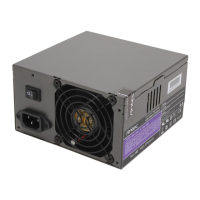
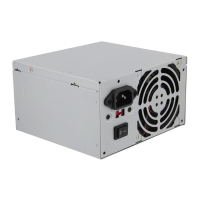
Details about the 380 Watt universal input, active PFC, single 80mm fan cooled power supply.
Steps for initial case setup, including placing the case and removing the top panel.
Guide to connecting the main power and LED connectors to the motherboard.
Instructions for connecting front USB ports using the Intel standard connector.
Guide to connecting front audio ports to the motherboard's audio connector.
Procedure for installing hard disk drives using the provided bracket and grommets.
Steps for installing 5.25" devices into the rapid-release drive cage.
Describes the bottom vents for airflow to the hard drives and motherboard chamber.
Details vents on the top panel for cooling the VGA card.
Explains rear vents for cooling the CPU and VGA card.
Describes the CPU Air Guide's role in enhancing CPU cooling.
Details vents on the left side for cooling the power supply.
 General
| Main Connector | 20+4Pin |
|---|---|
| SATA Connectors | 2 |
| Molex Connectors | 2 |
| Floppy Connectors | 1 |
| Input Voltage | 100-240V |
| Input Frequency Range | 50 ~ 60 Hz |
| +5Vsb | 2A |
| Connectors | 1x 20+4pin, 1x 4pin, 2x SATA, 2x Molex, 1x Floppy |
| Fans | 1x 80mm |

 To Next Page