12
3. Preparing the KUHLER H
2
O backplate is specific to your CPU socket. Please refer to the KUHLER
H
2
O installation guide, available at
http://www.antec.com/Believe_it/product.php?id=Mjc2OCYxNw== (KUHLER H
2
O 620) or
http://www.antec.com/Believe_it/product.php?id=NzA0MzcwJjE3 (KUHLER H
2
O 920) for more
information.
4. Prepare the retention ring according to the CPU socket you’re using.
5. Complete installation according to the KUHLER H
2
O instructions.
2.4 Power Supply Installation
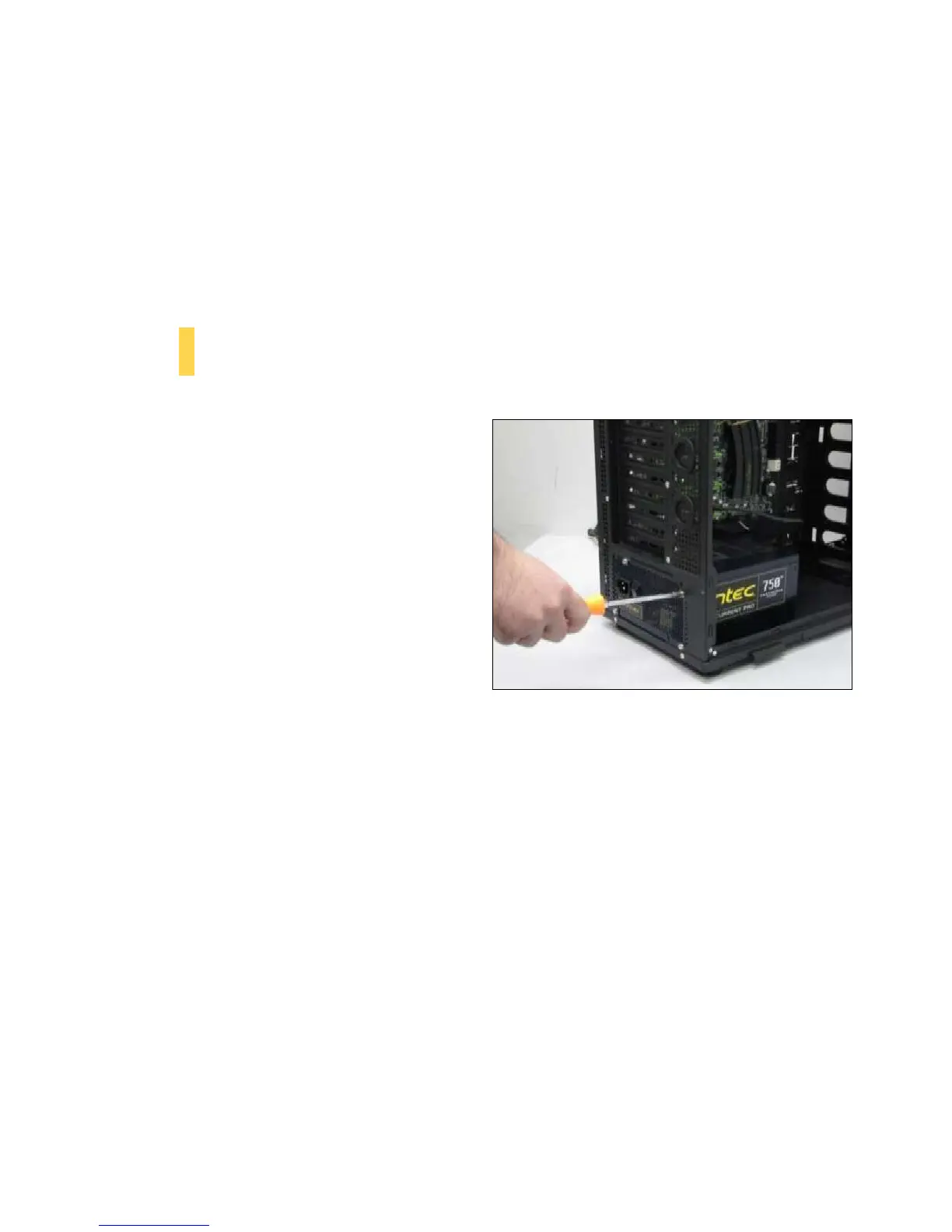
1. With the case upright, place the power
supply as illustrated in the image to the
right.
2. Push the power supply to the back of the
case and align the mounting holes.
3. Attach the power supply to the case with
the screws provided.
**See Section 4.3 for PSU filter removal instructions
Attach the power supply with the provided screws.


 To Next Page