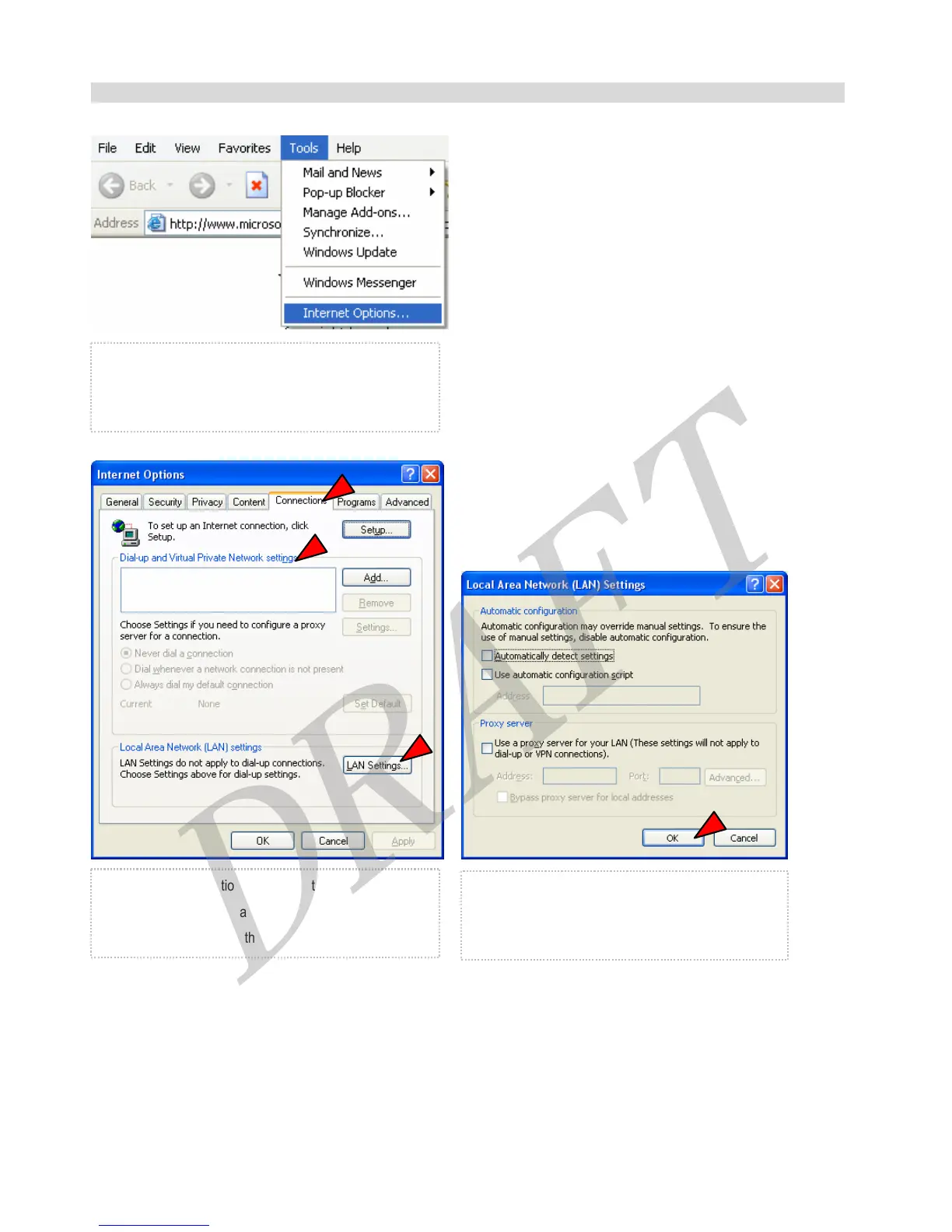
Internet Option Configuration
① Open your web browser and go to [Tools > Internet
Options]
② Select ‘Connections’ TAB. If there is already a
settings at ‘Dial-up and Virtual Privates Network
settings’, remove it. And then, click ‘LAN Settings’
③ Do not check at ‘Automatically detect settings’,
‘Use automatic configuration script’, and ;Proxy
server’. And then, click ‘OK’
16



 To Next Page