3.2 Windows 2000
TCP/IP Configuration
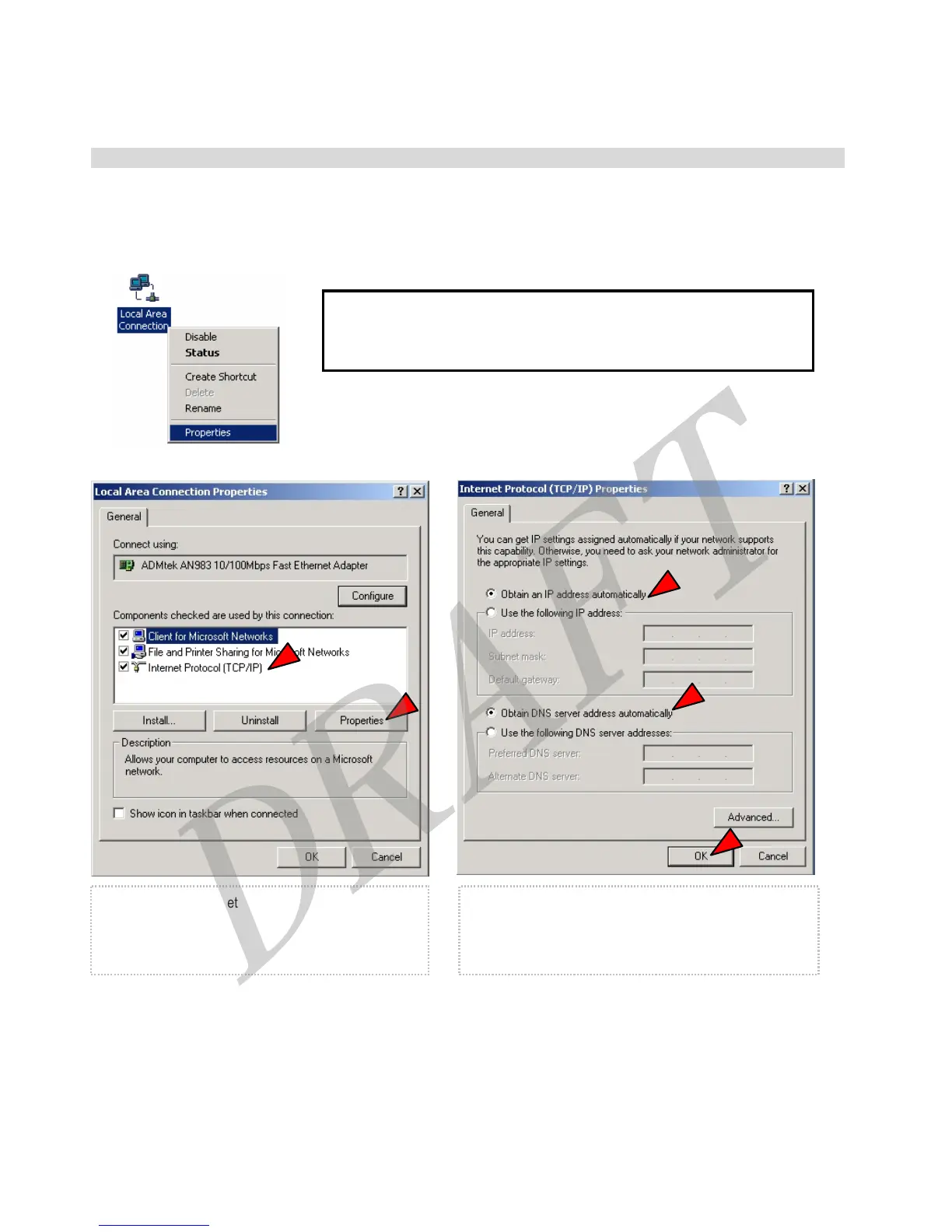
Go to [Start]→[Settings]→[Control Panel]→[Network (and Dial-Up) connections]→[Local Area Connection]→
[Properties].
9 If you see two or more ‘Local area connections’, select one that you will use
for connecting to the Router.
① Select [Internet Protocol (TCP/IP)]→Click
[Properties].
② Select [Obtain an IP address automatically], [Obtain
DNS server address automatically], and then press [OK]
button
12



 To Next Page