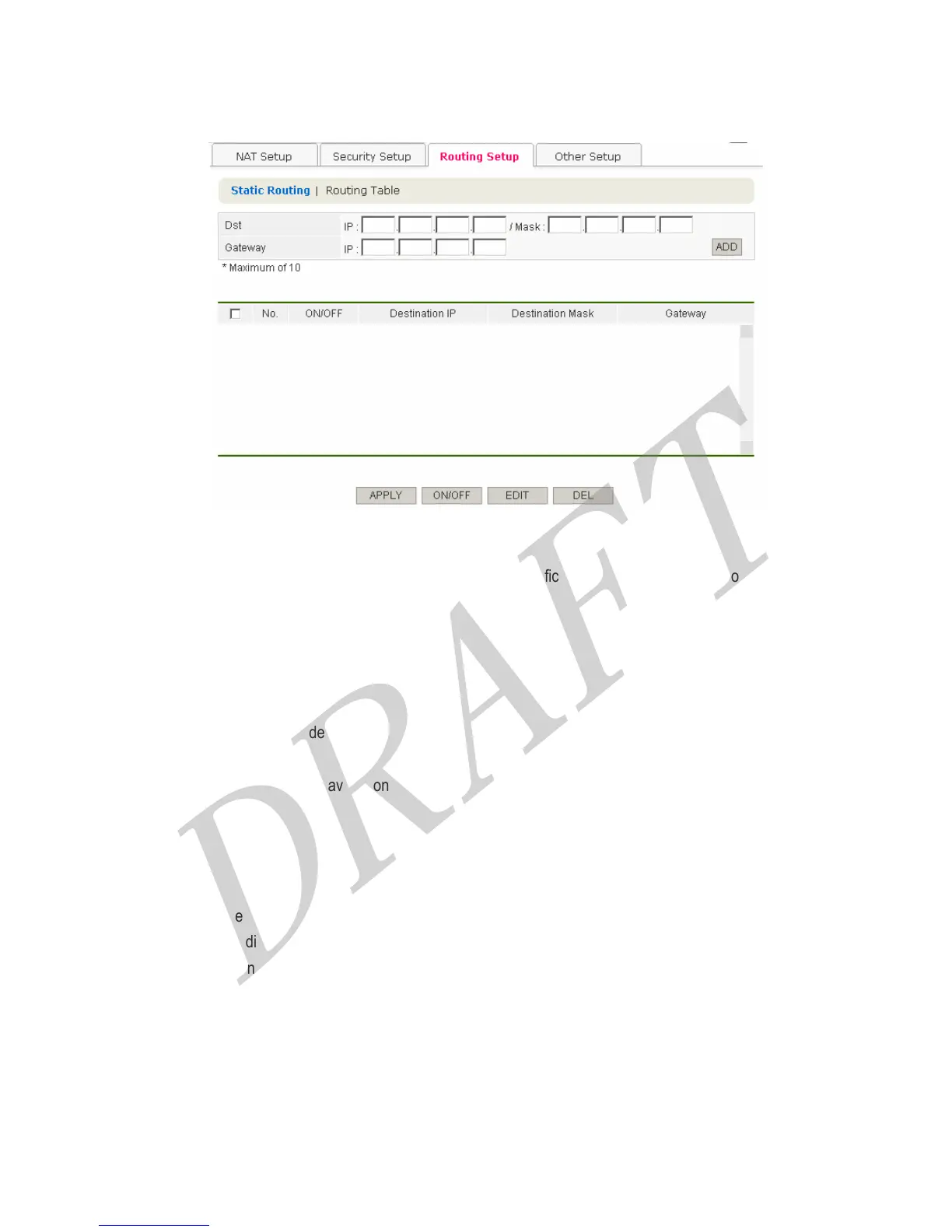
4.3.3 Routing Setup
This feature can make packet data that is bounding for a specific destination IP address go out through other
gateways, not through The Router.
Configuration procedure is as follows,
1. Complete Destination Field.
● IP : Enter destination IP Address.
● Mask : Enter subnet mask of destination IP address.
2. Enter Gateway IP Address.
3. Finally, click APPLY button for saving configurations.
[Button Descriptions]
● APPLY : Apply the configurations. (In order to save configurations, click SAVE button among left menu.)
● On/Off : Enable or disable the each setting value.
● EDIT : Edit the setting value.
● DEL : Delete the registered address.
41



 To Next Page