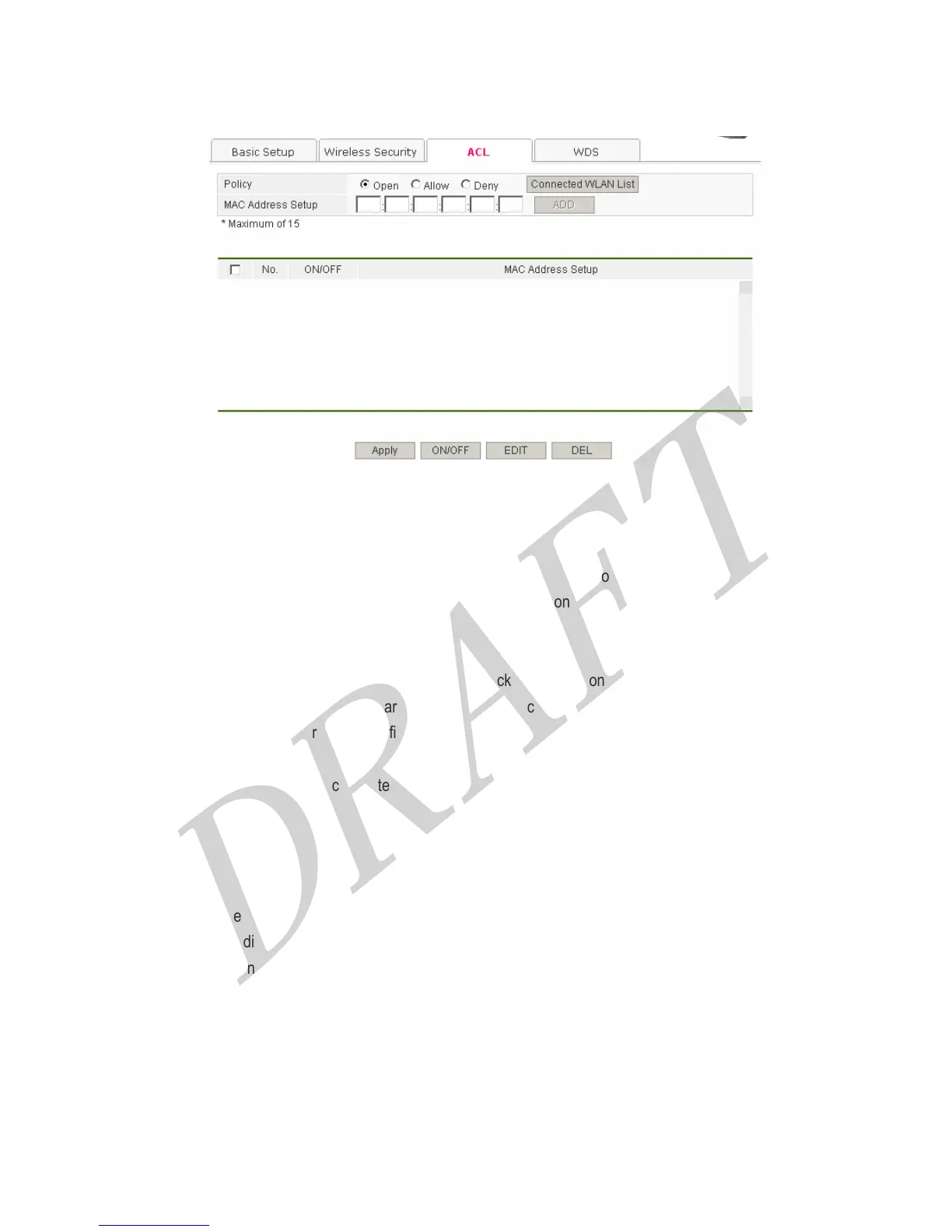
4.2.3 ACL
You can set the WLAN based filtering policy like Open, Allow, Deny.
● Open : Permits all computers to access to the Router on wireless.
● Allow: The computers which are registered can be connected to the Router on wireless.
● Deny: The computer which are registered are blocked to the Router on wireless.
Configuration Procedures is as follows,
1. Select the policy among Open, Allow, or Deny, and then click APPLY button.
2. Enter WLAN MAC Address at the field ‘Hardware Address’ and click ADD button.
3. Finally, click APPLY button for saving configurations.
‘’Connected WLAN List’ shows the connected wireless LAN PCs’ list.
[Button Descriptions]
● APPLY : Apply the configurations. (In order to save configurations, click SAVE button among left menu.)
● On/Off : Enable or disable the each setting value.
● EDIT : Edit the setting value.
● DEL : Delete the registered address.
31



 To Next Page