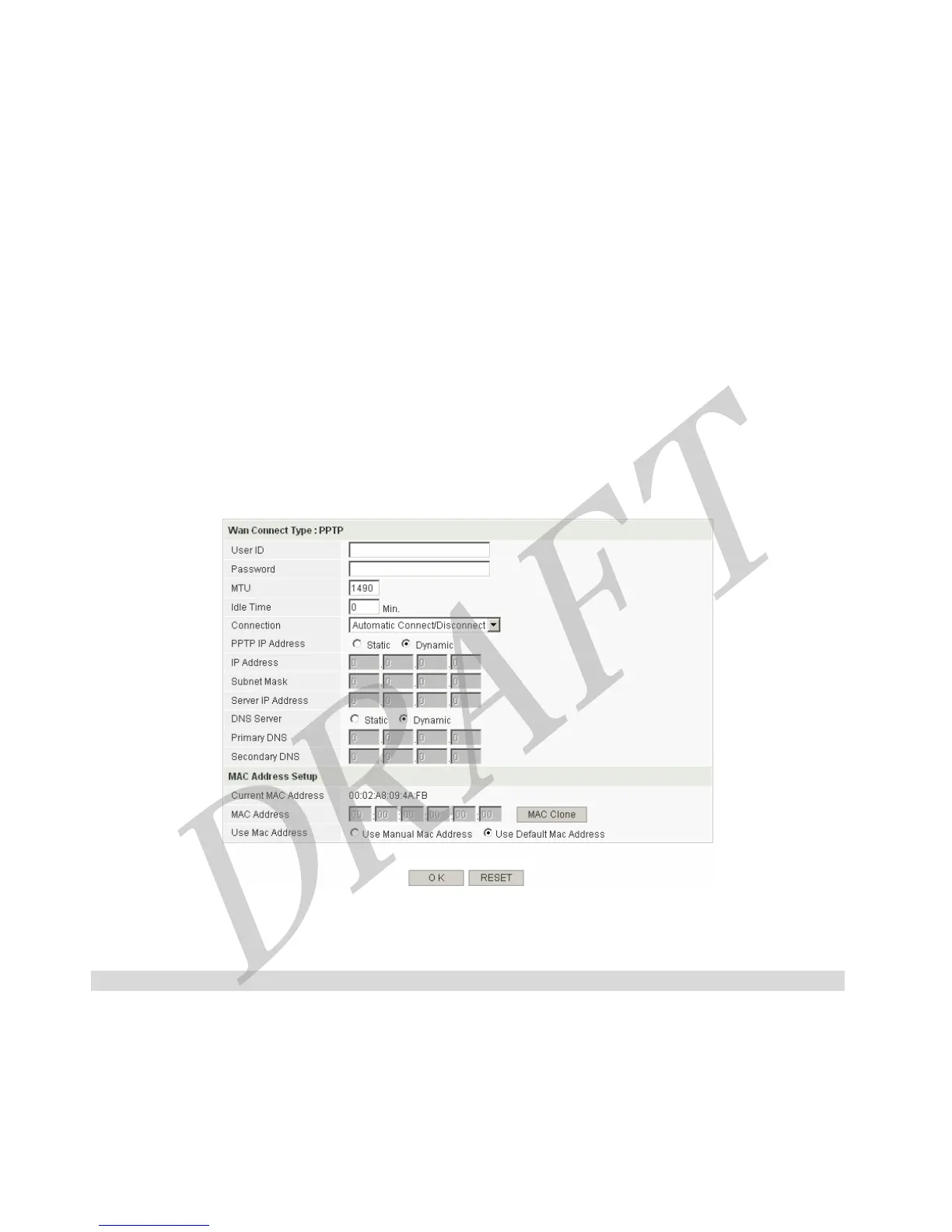
This function allows you to use the other MAC address on LAN side PCs, not the Router’s MAC Address. If your ISP
request your LAN side PC’s MAC address, you can clone PC’s MAC Address from your PC with MAC Clone button.
Configuration procedure is as follows,
1. Select ‘Use Manual MAC Address’
2. Click ‘MAC Clone’ button; the button will copy the PC’s MAC Address which is accessing to the Router
[Button Descriptions]
OK : Save the data on screen.
RESET : discard any data you have entered and reload the file form the Router
4.1.2.4 Use PPTP
[Screen Descriptions]
Wan Connect Type : PPTP
User ID / Password
PPTP Type requires ID & Password for internet connection. Enter ‘User ID’ and ‘Password’ which is provided from your
ISP.
MTU
MTU(Maximum Transmission Unit) value should only be changed if advised to do so by technical support. Default
value is 1490(recommended).
24



 To Next Page