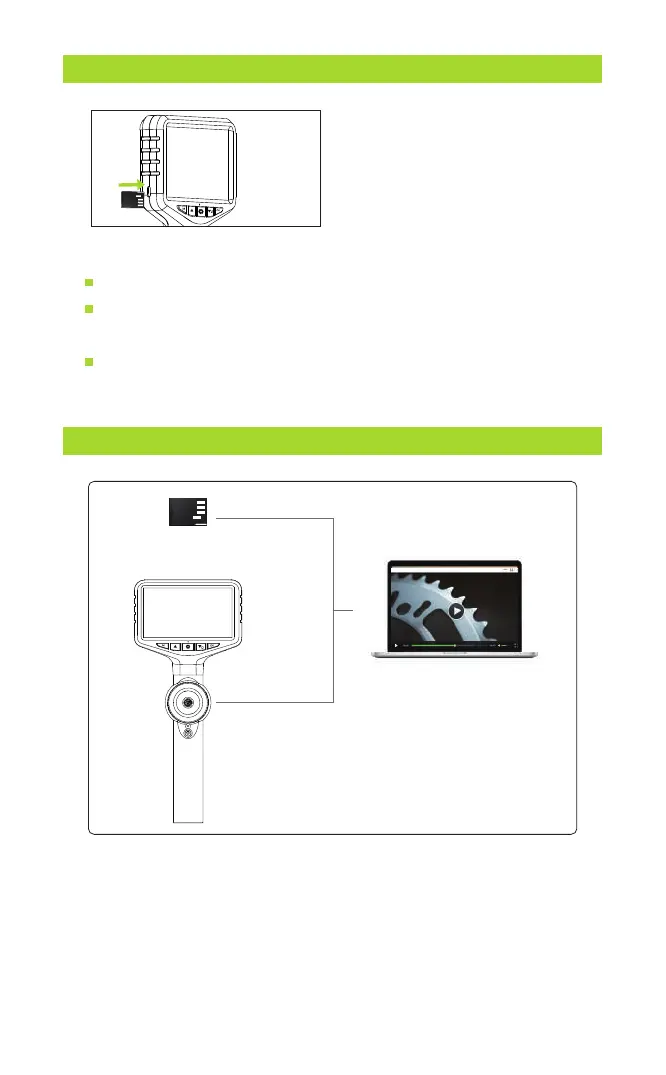
TF CARD INSERTION AND REMOVAL GUIDE
Insert TF card:
Power off the device first before inserting the TF card.
Make sure the direction and the front and back orientation is
correct when inserting the TF card.
Do not use excessive force when inserting or removing the TF
card to prevent damage to the card slot structure.
The device is equipped with a TF
memory card(inserted). Gently
press to eject the card.
COPY PHOTO AND VIDEO FILES TO COMPUTER
Card reader
Type-C USB cable
or
You can use a TF card reader to copy data directly or use a
Type-c cable to connect to a computer for copying.
- 9 -



 To Next Page