SETTINGS
Press the button “ ” twice to enter the settings page.
Press “ ” and “ ” to select the items you need.
Press “ OK ” to save your choice.
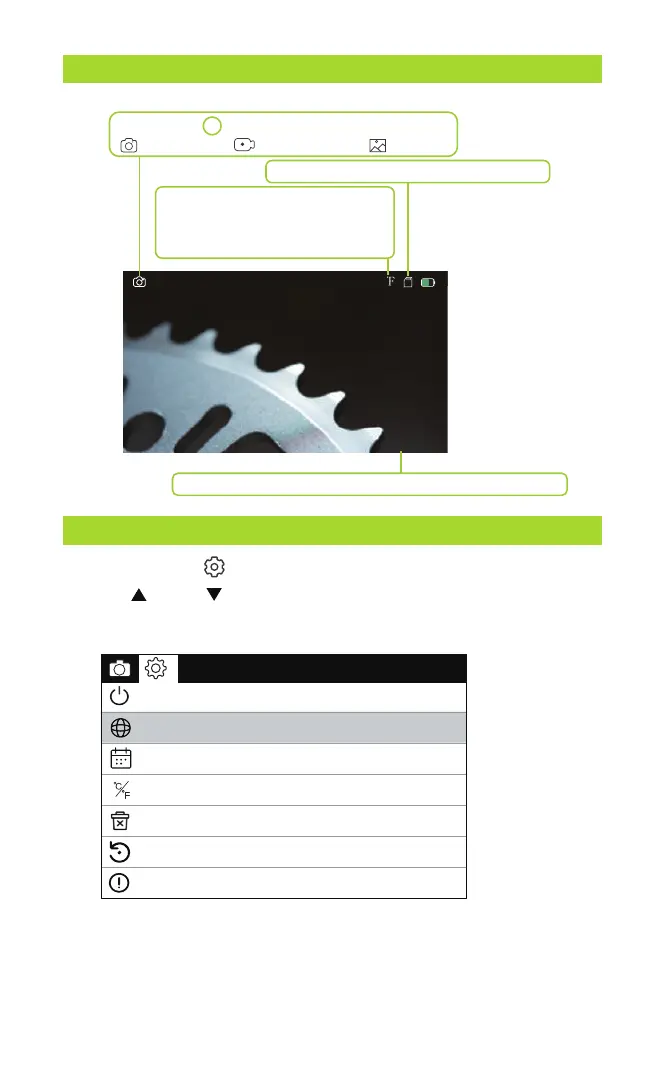
Mode: Press M to switch between the three modes:
photo taking/ video recording/ playback
TF card status: TF card inserted/no card
Date and time - modify the date and time in Settings menu
2023-01-01 08:00
Temperature Unit: The temperature
display unit on the screen can be
switched between Fahrenheit and
Celsius.
90
DISPLAY
- 5 -
Language settings
Temperature Unit
Date Time
Automatic shut-down
Default Settings
Version
Format
℃
F



 To Next Page