- 4 -
PREPARATION & SETUP
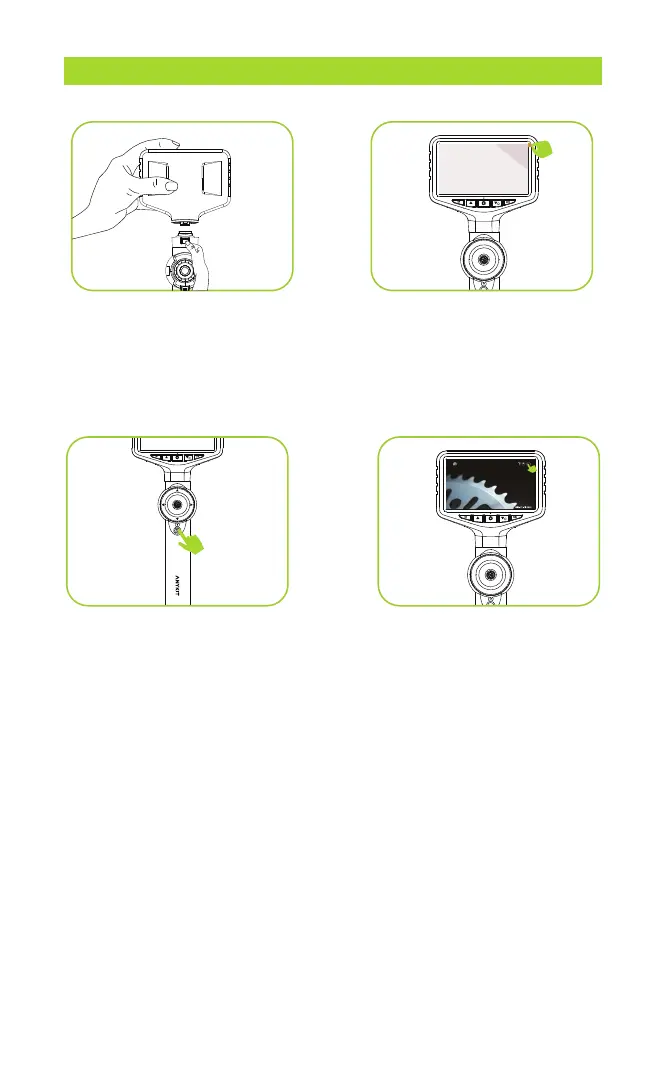
Step 1: Install the screen and
handle, align them with the
interface, and press firmly until
you hear a click, indicating that
they are connected
.
Step 2: Remove the plastic
screen cover.
Step 3: Turn the camera on/off
by pressing and holding the
"POWER" button for a few
seconds.
Step 4: Low Battery Indicator: If
the battery icon on the screen
displays low battery, please
ensure it is fully charged before
use.
90



 To Next Page