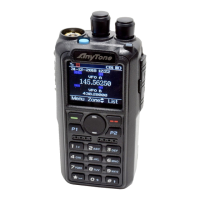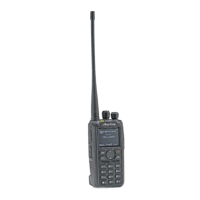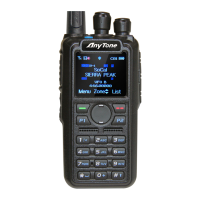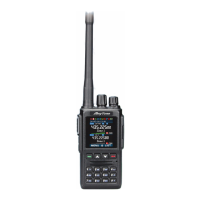
EasyManua.ls Logo

AnyTone AT-D878UV Plus - User Manual

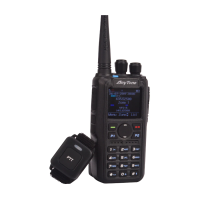
AnyTone AT-D878UV Plus
60 pages
Print Icon
To Next Page IconTo Next Page
Loading...
www.anytone.net
A6.210131

Questions and Answers

  • D
    Deborah BellJul 29, 2025
    How to fix an AnyTone AT-D878UV Plus that won't turn on?
    • J
      Jeffery DiazJul 29, 2025
      If your AnyTone Two-Way Radio will not switch on or the display remains blank after switching it on: A. The battery pack might not be properly installed. Try removing the battery pack and then reinstalling it. B. The battery power could be insufficient. Try recharging or replacing the battery pack.
  • J
    jmurilloAug 5, 2025
    What to do if I can't talk to other members on my AnyTone AT-D878UV Plus Two-Way Radio?
    • S
      Stephanie RogersAug 5, 2025
      If you cannot communicate with other members in your group using your AnyTone Two-Way Radio, ensure the following: 1. Verify that the frequency and CTCSS settings are identical to those of the other members. 2. Confirm that you are within the communication range and not too far from other members. 3. Ensure that you are using the correct digital mode and frequency. 4. In digital mode, verify that the correct code and encrypt group are being used for the current channel. 5. In digital mode, confirm that the correct receiving contacts and receiving group are selected.
  • Z
    zriddleAug 13, 2025
    Why am I hearing other people on my AnyTone Two-Way Radio channel?
    • K
      kimberlynicholsAug 13, 2025
      If you are hearing voices from individuals outside your group on your AnyTone Two-Way Radio, and you are using analog mode, you should change the CTCSS/DCS Tone. Ensure that all radios within your group are updated with the new tone.
  • K
    kevin48Aug 20, 2025
    Why does my AnyTone AT-D878UV Plus Two-Way Radio battery die quickly?
    • R
      richardpooleAug 20, 2025
      If the battery of your AnyTone Two-Way Radio doesn't last long after being fully charged, the battery is likely defective and should be replaced with a new one.

Summary

1. UNPACKING AND CHECKING THE EQUIPMENT

1.1 Supplied Accessories

Lists items included in the package with the radio.

1.2 Standard Accessories

Details the standard accessories provided with the radio.

1.3 Optional Accessories

Lists optional accessories available for purchase with the radio.

2. BATTERY INFORMATION

2.1 Charging the Battery Pack

Instructions on how to charge the battery pack for initial use.

2.3 Use Caution with the Li-ion Battery

Safety precautions and guidelines for handling Li-ion batteries.

2.4 How to Charge

Step-by-step guide on charging the radio's battery pack.

2.5 Normal Charging Tips

Provides best practices and tips for normal battery charging.

3. PREPARATION

3.1 Installing; Removing the Battery

Instructions for attaching and detaching the battery pack.

3.2 Installing; Removing the Antenna

Steps for installing and removing the radio's antenna.

3.3 Installing; Removing the Belt Clip

Guide to attach and detach the belt clip.

4. RADIO OVERVIEW

4.1 Status Indications

Explains the meaning of various LED status indications on the radio.

4.2 Programmed Key Functions

Details how to set functions for programmable keys.

4.3 Hot Key Settings

Explains how to assign functions to programmable keys via menu or software.

5. BASIC OPERATIONS

5.1 Power on the Radio

Steps to turn the radio on and initial startup sequence.

5.6 Select a Channel

Instructions for choosing a specific channel.

5.7 New Channel Creation

Steps to create and save a new radio channel.

5.10 Making a Call

Various methods to initiate a radio call.

5.12 Emergency Alarm

Instructions for activating the emergency alarm function.

5.13 Man Down Alarm

How to enable and use the man down alarm feature.

6. ADVANCED FEATURES

6.1 Access Private Call Features

Methods to access advanced features for private calls.

6.2 Configure Private Call Features

Configuration of advanced features like Call Alert, Remote Ranging.

7. MAIN MENU FUNCTIONS

7.1 Talk Groups and SMS

Managing and using talk groups, sending and receiving SMS.

7.4 Zone Management

How to group channels into zones for easier management.

7.5 Scanning Operations

Overview of scanning features and how to set up scan lists.

7.7 Radio Settings Overview

Accessing and configuring various radio settings.

7.7.1 Key Operational Settings

Configuration of key features like Key Lock, Power Save, VOX.

7.11 Digital Monitor Function

How to use the digital monitor function for monitoring.

8. RESET PROCEDURE

9. TROUBLESHOOTING GUIDE

10. PROGRAMMING GUIDE

11. ONLINE SERVICE AND SUPPORT

SAFETY PRECAUTIONS

EU DECLARATION OF CONFORMITY

12. TECHNICAL SPECIFICATIONS

AnyTone AT-D878UV Plus Specifications

General IconGeneral
Channels4000
Zones250
Battery Capacity3100mAh
Operating Voltage7.4V DC
Dimensions129 x 61 x 39 mm
GPSYes
BluetoothYes
APRSYes
VOXYes
WaterproofIP54
Frequency Range400-480 MHz
Power Output7W (VHF) / 6W (UHF)
Operating ModeAnalog
DisplayColor TFT

Related product manuals