EasyManua.ls Logo

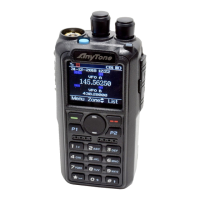
AnyTone AT-D868UV - User Manual

AnyTone AT-D868UV
43 pages
Print Icon
To Next Page IconTo Next Page
Loading...
A1.170828
www.anytone.net

Other manuals for AnyTone AT-D868UV

Questions and Answers

  • M
    Michelle PachecoJul 25, 2025
    How to fix an AnyTone Two-Way Radio that won't turn on?
    • M
      Misty PerryJul 25, 2025
      If your AnyTone Two-Way Radio won't turn on or the display remains blank after switching it on: * Ensure the battery pack is correctly installed by removing it and reinstalling it. * Check the battery level; it may be insufficient. Recharge or replace the battery pack.
  • D
    Dustin MartinJul 29, 2025
    What to do if my AnyTone Transceiver won't turn on?
    • P
      patrick00Jul 29, 2025
      If your AnyTone Transceiver won't turn on or the display remains blank after switching it on, try removing the battery pack and reinstalling it. If that doesn't work, recharge or replace the battery pack.
  • M
    Mckenzie BaileyAug 3, 2025
    What to do if I cannot hear other members on my AnyTone Two-Way Radio?
    • J
      jennifer00Aug 3, 2025
      To communicate effectively with your group using the AnyTone Two-Way Radio, ensure the following: 1. Verify that the frequency and CTCSS settings match those of other group members. 2. Confirm that you are within an appropriate communication range. 3. Ensure that the radio is set to the correct digital mode and frequency. 4. In digital mode, verify that the correct code and encryption group are being used for the current channel. 5. In digital mode, confirm that the correct receiving contacts and receiving group are selected.
  • B
    Betty DukeAug 7, 2025
    Why am I hearing other people on my AnyTone Two-Way Radio channel?
    • C
      Christopher LiuAug 7, 2025
      If you're hearing voices from individuals outside your group on your AnyTone Two-Way Radio, especially in analog mode, try changing the CTCSS/DCS tone. Make sure to update this setting on all radios within your group to maintain consistent communication.
  • A
    Amy MartinAug 11, 2025
    What to do if I cannot hear other members on my AnyTone Transceiver?
    • W
      Wesley SimonAug 12, 2025
      If you can't communicate with other members using your AnyTone Transceiver, ensure the frequency and CTCSS/DCS settings match those of the other members. Also, verify that you are within the communication range and using the correct digital mode and frequency. In digital mode, confirm that the correct code and encrypt group are being used in the current channel, and that the correct receiving contacts and receiving group are selected.
  • K
    Karen NewmanAug 16, 2025
    Why does my AnyTone Transceiver battery not last long after charging?
    • K
      Karen FranklinAug 16, 2025
      If your AnyTone Transceiver battery drains quickly after charging, the battery might be defective. Replace it with a new battery pack.
  • K
    Kara MeyerAug 20, 2025
    How to block other voices on my AnyTone Transceiver?
    • L
      Laura HollandAug 20, 2025
      If you hear voices from individuals outside your group on your AnyTone Transceiver channel, change the CTCSS/DCS tone. Ensure that all radios within your group also update to the new tone.

Summary

Unpacking and Checking the Equipment

1.1 Supplied Accessories

Lists all accessories included with the radio package.

1.4 Charging the Battery Pack

Instructions on initial battery charging and best practices for capacity.

GPS Positioning Function

3.4 Man Down Alarm

How to configure and use the man down alarm feature for safety.

Settings and Configuration

6.2 Channel Settings

Settings for digital and analog channels, including type, power, bandwidth, and permits.

Trouble Shooting Guide

Radio Power and Battery Issues

Solutions for radio power-on problems and fast battery drain.

Communication and Interference Issues

Troubleshooting steps for communication problems and unwanted interference.

AnyTone AT-D868UV Specifications

General IconGeneral
BrandAnyTone
ModelAT-D868UV
CategoryTwo-Way Radio
LanguageEnglish

Related product manuals