EasyManua.ls Logo

AnyTone D868UV - User Manual

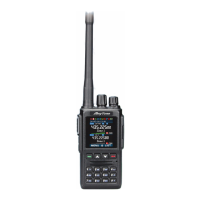
AnyTone D868UV
46 pages
Print Icon
To Next Page IconTo Next Page
Loading...
A1.170722

Other manuals for AnyTone D868UV

Questions and Answers

  • C
    Colleen HillAug 3, 2025
    How to fix an AnyTone D868UV that won't switch on or has no display?
    • B
      Brenda SullivanAug 3, 2025
      If your radio isn't turning on or the display is blank, try these steps: A. Remove the battery pack and reinstall it to ensure it is properly connected. B. Recharge or replace the battery pack, as the battery power may be insufficient.
  • T
    Tammy MercerAug 10, 2025
    What to do if I can't talk to or hear other members on my AnyTone D868UV Two-Way Radio?
    • C
      Christina EvansAug 10, 2025
      If you cannot communicate with other members, ensure the following: 1. Verify that the frequency and CTCSS are the same as other members. 2. Confirm you are within the effective communication range. 3. Ensure you are set to the correct digital mode and frequency. 4. In digital mode, verify the correct code and encrypt group are set for the current channel. 5. In digital mode, confirm the correct receiving contacts and receiving group are selected.
  • E
    Eduardo KellyAug 17, 2025
    What to do if my AnyTone D868UV Two-Way Radio picks up voices from non-group members?
    • L
      Luis LynchAug 17, 2025
      If you are hearing voices from individuals outside your group, change the CTCSS/DCS tone and ensure that all radios within your group are updated with the new tone.
  • D
    Derek WilsonAug 25, 2025
    Why doesn't the battery last long after charging my AnyTone D868UV Two-Way Radio?
    • B
      Brenda WareAug 26, 2025
      If the battery life is significantly reduced after charging, it likely means the battery has reached the end of its lifespan. Replace it with a new battery pack.

Summary

Notice to the User

Safety Training Information

Warning

Radio generates RF energy, for occupational use only.

Electromagnetic Interference and Compatibility

Occupational;Controlled Use

Radio transmitter used by aware individuals, exercise control over exposure.

Charging Operation

How to Charge

Battery Safety Warnings

Radio Overview

Programmable Key Functions

Default Key Functions

Pre-assigned functions for PF1, PF2, PF3, P1, P2 keys.

Hot Key Configuration

Main Menu Navigation

Basic Radio Operations

VFO Frequency Setup

Zone Management

Channel Selection

Receiving and Responding to Calls

Making a Call

Temporary Monitor Function

Monitor Function

Advanced Private Call Features

Private Call Advanced Features

Access to Call Alert, Remote Monitor, and Get GPS info features.

GPS Positioning Function

Enabling GPS

Steps to turn on and configure GPS functionality.

GPS Information Management

Man Down Alarm Feature

Recording Functionality

Radio Settings Configuration

Radio Set Options

General settings for beep, backlight, time, channel name, key lock.

Power Off and TX Timer Settings

Display and Channel Settings

Programmable Key and Time Settings

Channel Setup

Analog Channel Codes and TX Power

Work Alone Function

Troubleshooting Guide

Radio Power and Display Issues

Solutions for power-on and display problems.

Battery Life Problems

Solutions for short battery duration after charging.

Technical Specifications

AnyTone D868UV Specifications

General IconGeneral
GPSYes
Digital ModeDMR Tier I & II
Operating Voltage7.4V DC
Channel Spacing12.5/20/25 kHz
Operating Temperature-20°C to +60°C
WaterproofIP54
BluetoothNo
Frequency Range136-174 MHz
DisplayColor LCD
Zones250

Related product manuals