EasyManua.ls Logo

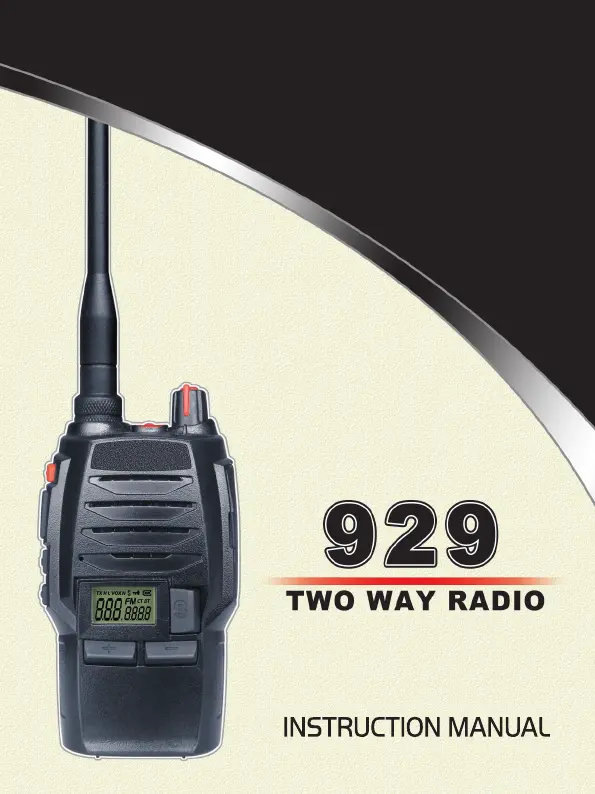
AnyTone 929 - User Manual

AnyTone 929
43 pages
Print Icon
To Next Page IconTo Next Page
Loading...

Table of Contents

Questions and Answers

  • E
    Eugene MitchellAug 2, 2025
    How to fix AnyTone Two-Way Radio when I can't talk to or hear other members?
    • B
      Bailey WoodAug 2, 2025
      If you cannot talk to or hear other members in your group using your AnyTone Two-Way Radio, it might be due to different frequency or channel settings. Try changing the frequency or channel. Also, check if the CTCSS/DCS settings are different and reset them.
  • T
    Tracy HernandezAug 7, 2025
    Why is my AnyTone 929 Two-Way Radio green light on but no sound?
    • V
      victoria23Aug 7, 2025
      If the receiving indicating lamp (green light) is on but there is no sound from your AnyTone Two-Way Radio, the volume might be too low. Try turning the volume up clockwise.
  • E
    Erika MartinAug 12, 2025
    Why can I receive but not transmit on my AnyTone Two-Way Radio?
    • Y
      Yolanda JimenezAug 12, 2025
      If your AnyTone Two-Way Radio can receive voice from the other party but cannot transmit, check the [PTT] key.
  • K
    Kimberly GomezAug 17, 2025
    Why won't my AnyTone 929 power on or keeps powering off?
    • A
      Amanda GreenAug 17, 2025
      If your AnyTone Two-Way Radio cannot power on or frequently powers off, check whether the battery contact is out of shape or broken.
  • H
    Hannah NelsonAug 22, 2025
    What to do if the other party hears low or intermittent sound from my AnyTone 929 Two-Way Radio?
    • J
      Jessica LynchAug 22, 2025
      If the other party gets low or intermittent receiving sound on your AnyTone Two-Way Radio, check whether the MIC is obstructed.
  • B
    Brandon WalkerAug 27, 2025
    Why does my AnyTone 929 Two-Way Radio loudspeaker sound lower or make "ka ka" sounds?
    • S
      Sara SimmonsAug 27, 2025
      If the loudspeaker becomes lower or makes a "ka ka" sound after using your AnyTone Two-Way Radio for some time, check whether the loudspeaker net is broken or if iron powder or sundries are in the loudspeaker.

Summary

Safety and RF Exposure Information

RF Exposure Standards and Guidelines

Lists FCC and ANSI/IEEE standards for RF exposure evaluation for human exposure.

RF Exposure Guidelines

Provides guidelines to ensure RF exposure is within FCC allowable limits for occupational use.

User Safety and Precautions

User Safety Precautions

Lists precautions to prevent personal injury and ensure safe transceiver usage.

Battery Information and Charging

Getting Acquainted with the Transceiver

Basic Operations

Transceiver Power and Volume Control

Instructions on turning the transceiver on/off and adjusting volume.

Core Functions: Receiving and Transmitting

Explains how to receive calls and transmit voice using the PTT key.

Special Functions: Emergency Alarm and Keypad Lockout

How to use the emergency alarm and enable/disable keypad lockout.

Function Setup and Configuration

CTCSS;DCS Signaling Setup

How to configure CTCSS/DCS signaling for selective communication.

Advanced Operations

Background Operations

Maintenance and Reset

Technical Specifications

General and Receiving Specifications

Lists general specs and detailed receiving part performance.

Transmitting Specifications

Details the performance specifications for the transmitting section.

Troubleshooting Guide

Power and Battery Troubleshooting

Solutions for no power or battery issues after charging.

Communication and Channel Adjustment Issues

Solutions for communication failures, range limits, and inability to adjust channels.

AnyTone 929 Specifications

General IconGeneral
BrandAnyTone
Model929
CategoryTwo-Way Radio
LanguageEnglish

Related product manuals