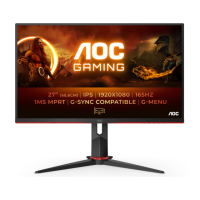
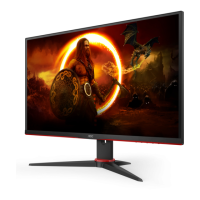
Need help?
Do you have a question about the AOC 27B2AM and is the answer not in the manual?
Describes notational conventions used in the document for notes, cautions, and warnings.
Explains the use of icons and text formatting for notes, cautions, and warnings for safe operation.
Details safe operation, power source, lightning storms, overloading, and adapter usage.
Provides guidelines for safe installation, including stable surfaces, ventilation, and tilt angles.
Instructions for cleaning the monitor cabinet and screen safely, avoiding damage.
Addresses unusual conditions like smell/smoke, vibration, dropping, power cords, and hearing loss.
Lists all items included in the monitor package, such as cables and manuals.
Step-by-step instructions for assembling or removing the monitor stand and base.
Guidance on adjusting the monitor's tilt angle for optimal viewing and avoiding damage.
Instructions for connecting the monitor to a PC via HDMI, VGA, or Audio cables.
Steps for attaching the monitor to a wall mounting arm and VESA compatibility notes.
Information on Adaptive-Sync compatibility with DP/HDMI and compatible graphics cards.
Explains the function of each hotkey button on the monitor for quick adjustments.
How to activate and adjust the Clear Vision feature for improved image clarity.
Basic instructions for navigating and using the On-Screen Display (OSD) menu.
Details on adjusting Brightness, Contrast, Gamma, DCR, and HDR modes.
Instructions for adjusting Clock, Phase, Sharpness, and H/V position for image quality.
Guide to adjusting Color Temperature, DCB mode, and RGB gain settings.
Information on adjusting Bright Frame, Frame Size, Brightness, Contrast, and H/V position.
Settings for Language, Timeout, Position, Transparency, and Break Reminder.
Customization options for gaming, including Game Mode, Shadow Control, and LowBlue Mode.
Settings for Input Select, Auto Config, Image Ratio, DDC/CI, and Reset options.
Option to exit the main On-Screen Display (OSD) menu.
Detailed technical specifications of the monitor, including panel, physical, and environmental characteristics.
Lists supported display resolutions, horizontal and vertical frequencies.
Diagrams and tables showing pin configurations for display signal cables.
Explanation of the monitor's Plug & Play DDC2B feature and its capabilities.
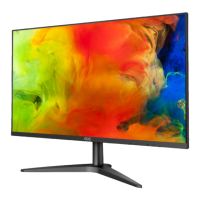
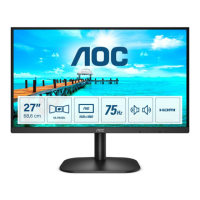
This document describes the AOC 27B2AM LCD Monitor, providing comprehensive instructions for its setup, adjustment, and maintenance, along with important safety guidelines.
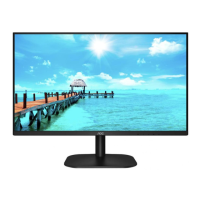
The AOC 27B2AM LCD Monitor is designed for general computing use, offering a clear visual display for various applications. Its primary function is to serve as an external display for computers, enhancing the user's visual workspace. The monitor supports multiple input types, including HDMI and D-Sub (VGA), ensuring compatibility with a wide range of devices. It also features an audio input and an earphone output, allowing for integrated audio solutions.
The monitor offers several features to optimize the user experience:
Proper maintenance ensures the longevity and optimal performance of the monitor:
The manual emphasizes several safety precautions:
The AOC 27B2AM LCD Monitor is designed to be a reliable and user-friendly display, offering a range of features for both general and specific applications like gaming, while also providing clear guidelines for safe and effective use and maintenance.
 General
| Panel type | VA |
|---|---|
| Color depth | 8 bit |
| Pixel pitch | 0.3114 x 0.3114 mm |
| Aspect ratio | 4:3, 16:9 |
| Screen shape | Flat |
| Pixel density | 81 ppi |
| Backlight type | W-LED |
| Display surface | Matt |
| Display diagonal | 27 \ |
| Surface hardness | 3H |
| Display technology | LED |
| Native aspect ratio | 16:9 |
| Vertical scan range | 50 - 76 Hz |
| Maximum refresh rate | 75 Hz |
| Horizontal scan range | 30 - 83 kHz |
| Supported video modes | 720p, 1080p |
| Viewable size, vertical | 296.46 mm |
| Contrast ratio (dynamic) | 20000000:1 |
| Contrast ratio (typical) | 4000:1 |
| Display number of colors | 16.7 million colors |
| Display diagonal (metric) | 68.58 cm |
| Viewable size, horizontal | 527.04 mm |
| Display brightness (typical) | 250 cd/m² |
| Supported graphics resolutions | 1280 x 720 (HD 720), 1920 x 1080 (HD 1080) |
| Flicker-free technology | Yes |
| Tilt angle range | -5 - 20 ° |
| Cable lock slot type | Kensington |
| Number of OSD languages | 16 |
| Panel mounting interface | 100 x 100 mm |
| On Screen Display (OSD) languages | CHI (SIMPL), CHI (TR), CRO, CZE, DEU, DUT, ENG, ESP, FIN, FRE, ITA, JPN, KOR, POL, POR, RUS, SWE, TUR, UKR |
| RMS rated power | 2 W |
| Number of speakers | 2 |
| Certification | True |
| Product color | Black |
| Country of origin | China |
| Heavy metals free | Hg (mercury) |
| Market positioning | Home |
| Sustainability certificates | ENERGY STAR |
| HDMI version | 1.4 |
| DisplayPorts quantity | 0 |
| Headphone connectivity | 3.5 mm |
| AC input voltage | 100 - 240 V |
| AC input frequency | 50 - 60 Hz |
| Energy efficiency scale | A to G |
| Power consumption (standby) | 0.5 W |
| Power consumption (typical) | 23 W |
| Cables included | AC, HDMI |
| HDMI cable length | 1.5 m |
| Package type | Box |
| Package depth | 131 mm |
| Package width | 614 mm |
| Package height | 492 mm |
| Package weight | 5500 g |
| Exterior finish type | Textured |
| Recyclable packaging material | 100 % |
| Mean time between failures (MTBF) | 50000 h |
| Harmonized System (HS) code | 85285210 |
| Commodity Classification Automated Tracking System (CCATS) | 8528521000 |
 Weight and Dimensions
| Depth (with stand) | 182.95 mm |
|---|---|
| Height (with stand) | 456.39 mm |
| Weight (with stand) | 3600 g |
| Depth (without stand) | 37.6 mm |
| Width (without stand) | 612.14 mm |
| Height (without stand) | 361.39 mm |

 To Next Page