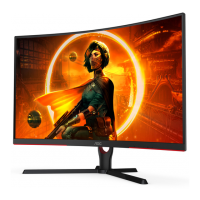
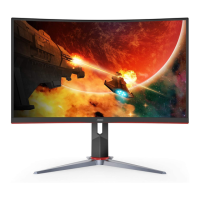
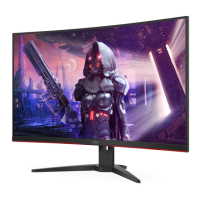
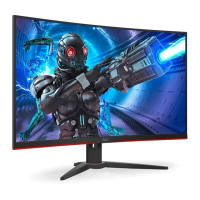
Need help?
Do you have a question about the AOC C32G3E and is the answer not in the manual?
This document serves as the user manual for the AOC C32G3E LCD Monitor, providing comprehensive instructions for its setup, adjustment, operation, and maintenance. It is designed to guide users through all aspects of interacting with their new display, from initial unboxing to advanced settings and troubleshooting.
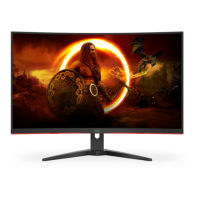
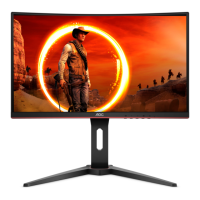
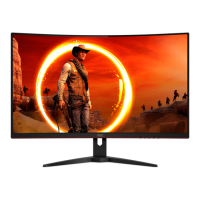
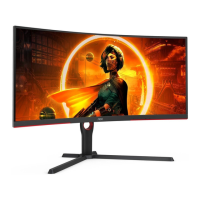
The AOC C32G3E is an LCD monitor designed to display visual information from a connected computer or other video sources. Its primary function is to provide a high-quality visual output for various applications, including gaming, multimedia consumption, and general productivity. The monitor supports multiple input types, including HDMI and DisplayPort, allowing for flexible connectivity with a wide range of devices. It incorporates Adaptive-Sync technology, which helps to synchronize the monitor's refresh rate with the graphics card's frame rate, reducing screen tearing and stuttering for a smoother visual experience, particularly in fast-paced gaming. The monitor also features an On-Screen Display (OSD) menu system, accessible via physical buttons, which allows users to customize various display parameters to suit their preferences and specific usage scenarios.
The C32G3E offers a variety of features aimed at enhancing the user experience. For initial setup, the manual provides clear instructions on how to assemble the stand and base, ensuring a stable foundation for the monitor. It also details the process of connecting the monitor to a PC using the appropriate signal cables (HDMI or DisplayPort) and power cord. The monitor's viewing angle can be adjusted, allowing users to tilt the screen to their preferred position for optimal comfort and visibility.
The OSD menu is a central hub for customizing the monitor's performance. It is organized into several categories:
The monitor also includes hotkeys for quick access to frequently used functions, such as Source/Exit, Game Mode selection, and a "Dial Point" feature which can display a crosshair on screen, useful in certain gaming scenarios. An LED indicator provides visual feedback on the monitor's power status (White for Full Power Mode, Orange for Active-off Mode).
The manual provides essential guidelines for maintaining the monitor to ensure its longevity and optimal performance. Regular cleaning of the cabinet with a soft cloth and mild detergent is recommended, with a caution against using strong detergents that could damage the cabinet. It emphasizes the importance of preventing any liquid from leaking into the product and using a non-abrasive cleaning cloth to avoid scratching the screen surface. Crucially, users are instructed to disconnect the power cord before cleaning the monitor to prevent electric shock.
Beyond physical cleaning, the manual also includes a "Troubleshoot" section that acts as a self-help guide for common issues. It addresses problems such as the power LED not turning on, no images appearing on the screen, fuzzy or ghosting pictures, flickering, missing colors, or improper screen centering. For each problem, possible solutions are provided, ranging from checking cable connections and power supply to adjusting OSD settings like contrast, brightness, and color temperature. It also advises on ensuring proper ventilation around the monitor to prevent overheating, which could lead to damage. The manual also highlights the importance of using UL listed computers with appropriate receptacles and ensuring the wall socket is easily accessible for safety. For more complex issues, users are directed to contact a Service Center or refer to the AOC website for further regulation and service information. The inclusion of these maintenance and troubleshooting tips empowers users to address minor issues independently and prolong the life of their monitor.
 General
| Screen Size | 31.5 inches |
|---|---|
| Refresh Rate | 165 Hz |
| Panel Type | VA |
| Response Time | 1 ms (MPRT) |
| Aspect Ratio | 16:9 |
| Brightness | 250 cd/m² |
| Contrast Ratio | 3000:1 |
| Curvature | 1500R |
| Adaptive Sync | AMD FreeSync Premium |
| VESA Mount | 100 x 100 mm |
| Resolution | 1920 x 1080 |
| Ports | 1x DisplayPort 1.2, 2x HDMI 2.0 |

 To Next Page