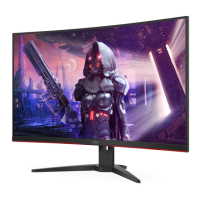
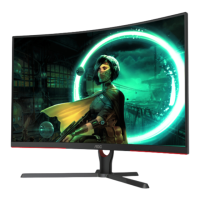
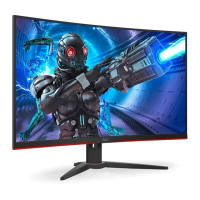
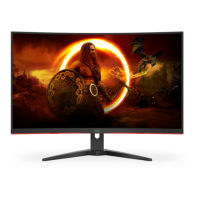
Need help?
Do you have a question about the AOC C32G2 and is the answer not in the manual?
Describes notational conventions used in the document, including Notes, Cautions, and Warnings.
Guidelines for safe operation, power source, grounding, and preventing damage from surges.
Instructions for safely placing the monitor, including ventilation requirements and mounting.
Procedures for cleaning the monitor cabinet and screen, emphasizing safe methods and precautions.
General precautions regarding strange smells, blocked vents, vibration, and physical impact.
Lists all items included in the monitor package, including cables and accessories.
Step-by-step instructions for assembling and disassembling the monitor stand and base.
Guidance on how to adjust the monitor's tilt angle for optimal viewing and safety.
Details on cable connections at the back of the monitor and connecting to a PC.
Information on AMD FreeSync Premium functionality and compatible graphics cards.
Overview of the monitor's hotkeys and their functions for quick adjustments.
Basic instructions for navigating and using the On-Screen Display (OSD) menu.
Details on adjusting brightness, contrast, gamma, and HDR settings within the OSD.
Guides on adjusting clock, phase, sharpness, and picture position for optimal display.
Instructions for configuring color temperature, DCB mode, and RGB gain settings.
Details on adjusting bright frame, frame size, brightness, contrast, and position.
Configuration options for OSD language, timeout, transparency, and other settings.
Settings for optimizing game performance, including game modes and shadow control.
Settings for input selection, auto configuration, image ratio, and DDC/CI support.
Instructions on how to exit the On-Screen Display (OSD) menu.
Explains the meaning of the LED indicator status and its corresponding LED color.
Provides detailed technical specifications for the monitor's model, panel, and physical characteristics.
Lists standard display resolutions, horizontal, and vertical frequencies supported by the monitor.
Details the pin configurations for various signal cables like HDMI and DisplayPort.
Explains the monitor's Plug & Play DDC2B capabilities for host system communication.
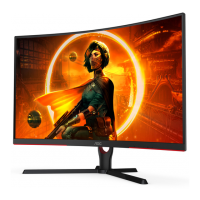
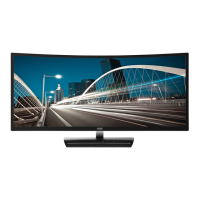
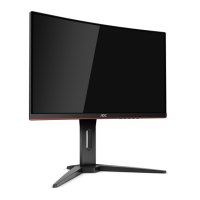
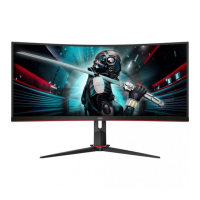
This document serves as the user manual for the AOC C32G2 LCD Monitor, providing comprehensive instructions for its setup, adjustment, and maintenance, alongside troubleshooting guidance. The monitor is designed for a variety of uses, from general computing to specific gaming applications, offering a range of features to enhance the user experience.
The AOC C32G2 is an LCD monitor with LED backlight technology, designed to display visual information from a connected computer or other video sources. Its primary function is to provide a high-quality visual output for tasks such as web browsing, document editing, multimedia consumption, and gaming. The monitor supports multiple input types, including HDMI, DisplayPort, and D-SUB, allowing for broad compatibility with different devices.
A key feature of this monitor is its support for AMD FreeSync Premium, which aims to eliminate screen tearing and stuttering by synchronizing the monitor's refresh rate with the graphics card's frame rate. This is particularly beneficial for gaming, providing a smoother and more fluid visual experience. The manual details the compatible AMD Radeon graphics card series that support this function, ensuring users can leverage this technology effectively.
The monitor incorporates an On-Screen Display (OSD) menu system, accessible via physical buttons on the monitor, which allows users to customize various display settings. These settings are categorized into several groups: Luminance, Image Setup, Color Setup, Picture Boost, OSD Setup, Game Setting, and Extra. Each category offers a range of adjustable parameters to fine-tune the monitor's performance and visual output according to user preferences and specific usage scenarios.
For instance, the "Luminance" menu includes controls for Contrast, Brightness, Eco mode, Gamma, DCR (Dynamic Contrast Ratio), and HDR Mode. Eco modes offer predefined settings for different environments like Standard, Text, Internet, Game, Movie, Sports, and Reading, optimizing the display for specific content while potentially reducing power consumption. The DCR feature dynamically adjusts the contrast ratio for improved image depth, while HDR Mode enhances the dynamic range of colors and luminance for a more immersive viewing experience.
The "Image Setup" menu provides controls for Clock, Phase, Sharpness, H. Position (Horizontal Position), and V. Position (Vertical Position). These settings are crucial for optimizing image clarity and alignment, especially when using analog input sources where fine-tuning can reduce noise and improve picture stability.
"Color Setup" allows users to adjust color temperature (Warm, Normal, Cool, sRGB, User-defined) and utilize DCB (Dynamic Color Boost) modes. DCB offers various enhancements like Full Enhance, Nature Skin, Green Field, Sky-blue, and AutoDetect, designed to boost specific color ranges for more vibrant and lifelike visuals. Users can also manually adjust Red, Green, and Blue gain for precise color calibration.
The "Picture Boost" feature enables users to define a specific area on the screen (Bright Frame) and adjust its brightness, contrast, and position independently. This can be useful for highlighting particular content or enhancing visual details in a designated region.
"OSD Setup" manages the OSD menu itself, allowing users to select the OSD language, set the OSD Timeout, adjust the OSD's horizontal and vertical position, control the Volume, and set the Transparence of the OSD. It also includes settings for DP Capability (DisplayPort version), Break Reminder (to prompt users to take breaks), and Frame Counter (to display the vertical frequency).
"Game Setting" is a dedicated section for gamers, offering specialized modes such as FPS (First Person Shooter), RTS (Real Time Strategy), Racing, and three customizable Gamer modes (Gamer 1, Gamer 2, Gamer 3). These modes are pre-configured to optimize the display for different game genres, improving visibility in dark areas, enhancing image quality, or providing faster response times. Other gaming-centric features include Shadow Control (to adjust black levels), Game Color (to adjust saturation), Low Blue Mode (to reduce blue light emission), Low Input Lag (to minimize display delay), Overdrive (to improve response time), and MBR (Motion Blur Reduction). The manual notes that MBR and Overdrive Boost are available only when AMD FreeSync is off and the vertical frequency is up to 75 Hz.
The "Extra" menu contains general settings such as Input Select (to manually choose the video input source), Auto Config (for automatic picture adjustment), Off Timer (to set a time for the monitor to turn off), Image Ratio (to select aspect ratio modes like Wide, 4:3, 1:1, or various widescreen resolutions), DDC/CI (Display Data Channel/Command Interface) support, and Reset (to restore all OSD settings to default).
The monitor also features an LED indicator that changes color to signify its operational status: White for Full Power Mode and Orange for Active-off Mode.
The AOC C32G2 is designed for ease of use and adaptability. Its physical design allows for adjustment of the viewing angle, with a tilt range from -5° to 23°, and a height adjustment of 100mm, enabling users to find an ergonomic and comfortable viewing position. The manual provides clear instructions on how to set up and remove the stand and base, emphasizing the importance of proper handling to prevent damage.
Connecting the monitor to a PC or other devices is straightforward, with clearly labeled ports for HDMI, DisplayPort, D-SUB, and Earphone out. The manual provides a step-by-step guide for connecting the power cord and signal cables, ensuring users can quickly get their monitor up and running. It also advises users to turn off both the PC and monitor before connecting cables to protect the equipment.
The hotkeys on the monitor provide quick access to frequently used functions. These include Source/Auto/Exit, Game Mode, Dial Point, Menu/Enter, and Power. The "Game Mode" hotkey, for instance, allows users to cycle through different game presets without navigating through the full OSD menu, offering convenience during gameplay. The "Dial Point" feature provides an on-screen crosshair, which can be useful in certain gaming scenarios.
The OSD menu, as described above, offers extensive customization. The intuitive navigation using the menu buttons allows users to easily browse through categories and adjust settings. The OSD Lock Function is a useful feature to prevent accidental changes to settings, which can be activated or deactivated by a specific button sequence.
The monitor's Plug and Play DDC2B feature simplifies setup with compatible host systems. This allows the monitor to automatically communicate its identity and display capabilities to the connected computer, reducing the need for manual configuration.
The manual provides essential guidelines for maintaining the AOC C32G2 monitor to ensure its longevity and optimal performance.
Cleaning: Regular cleaning of the cabinet with a soft cloth and mild detergent is recommended. Users are cautioned against using strong detergents that could damage the product cabinet. It is also advised to ensure no detergent leaks into the product and to use a soft cleaning cloth to avoid scratching the screen surface. Crucially, the power cord must be disconnected before cleaning the monitor to prevent electric shock.
General Safety and Handling: The manual emphasizes several safety precautions:
Troubleshooting: A dedicated troubleshooting section helps users diagnose and resolve common issues such as the power LED not turning on, no images on the screen, fuzzy pictures, flickering, missing colors, or improper screen sizing. This section offers practical solutions, including checking cable connections, adjusting display settings, and ensuring monitor drivers are installed. For more complex issues, users are directed to the AOC website or a service center.
By adhering to these maintenance and safety guidelines, users can ensure the AOC C32G2 monitor remains in good condition and provides a reliable display experience over time.
 General
| Panel type | VA |
|---|---|
| Color depth | 8 bit |
| Pixel pitch | 0.363 x 0.363 mm |
| Backlight type | W-LED |
| Display surface | Matt |
| Display diagonal | 32 \ |
| Screen curvature | 1500 mm |
| Adobe RGB coverage | 91 % |
| Display technology | LED |
| Native aspect ratio | 16:9 |
| Supported video modes | 720p, 1080p |
| Screen curvature rating | 1500R |
| Viewable size, vertical | 392.85 mm |
| sRGB coverage (typical) | 120 % |
| Contrast ratio (dynamic) | 80000000:1 |
| Contrast ratio (typical) | 3000:1 |
| Display number of colors | 16.78 million colors |
| Viewable size, horizontal | 698.4 mm |
| Digital vertical frequency | 48 - 240 Hz |
| Digital horizontal frequency | 30 - 255 kHz |
| Display brightness (typical) | 250 cd/m² |
| Supported graphics resolutions | 1280 x 720 (HD 720), 1920 x 1080 (HD 1080) |
| Feet color | Black |
| Certification | ISO |
| Product color | Black, Red |
| Detachable stand | Yes |
| Market positioning | Gaming |
| DisplayPort version | 1.2 |
| Headphone connectivity | 3.5 mm |
| Cable lock slot | - |
| Tilt angle range | 3.5 - 21.5 ° |
| Height adjustment | 130 mm |
| Number of OSD languages | 16 |
| Panel mounting interface | 100 x 100 mm |
| On Screen Display (OSD) languages | CHI (SIMPL), CHI (TR), CZE, DEU, DUT, ENG, ESP, FIN, FRE, ITA, JPN, KOR, POL, POR, RUS, SER |
| AC input voltage | 100 - 240 V |
| AC input frequency | 50 - 60 Hz |
| Power consumption (off) | 0.3 W |
| Power consumption (standby) | 0.5 W |
| Power consumption (typical) | 31 W |
| AMD FreeSync type | FreeSync |
| Sustainability certificates | ENERGY STAR |
| Cables included | DisplayPort, HDMI |
| DisplayPort cable length | 1.8 m |
| Package type | Box |
| Package depth | 227 mm |
| Package width | 820 mm |
| Package height | 524 mm |
| Package weight | 10350 g |
 Weight and Dimensions
| Depth (with stand) | 244.86 mm |
|---|---|
| Height (with stand) | 530.34 mm |
| Weight (with stand) | 7250 g |
| Depth (without stand) | - mm |
| Width (without stand) | 713.11 mm |
| Weight (without stand) | - g |

 To Next Page