EasyManua.ls Logo

AOC LE19K097 - User Manual

AOC LE19K097
22 pages
Print Icon
To Next Page IconTo Next Page
Loading...
1
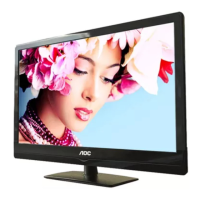
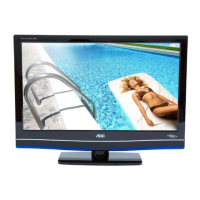
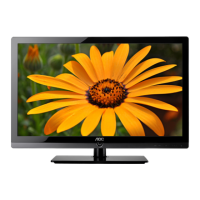
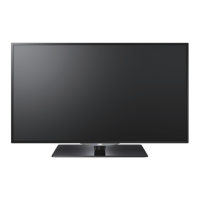
LCD TV User Manual
LE19K097
LE22K097
LE24K097
LC32K0D3D
LC42K0D3D
LE32K0D7D
LE42K0D7D

Other manuals for AOC LE19K097

Questions and Answers

  • Q
    qsmithSep 3, 2025
    What to do if my AOC LE19K097 cannot receive or select channels?
    • G
      Gregory SmithSep 3, 2025
      Perform Auto Program to add receivable channels that are not present in the channels TV’s memory. To receive or select cable channels, make sure that Cable in the Channel settings is set to On. To receive or select UHF channels over an antenna, make sure Cable is set to Off.
  • L
    Leslie ThompsonSep 18, 2025
    Why do certain programs on my AOC LE19K097 LCD TV display a loss of detail?
    • O
      ofloresSep 18, 2025
      This is due to the digital compression of the source content used by certain digital broadcasts and DVDs which may cause your TV’s screen to display less detail than usual, or cause artifacts (small blocks or dots, pixilation) to appear on your screen.
  • N
    Nichole FisherSep 16, 2025
    Why does my AOC LE19K097 have black bands at the edges of the screen?
    • M
      michael52Sep 16, 2025
      Some wide screen programs are filmed in aspect ratios that are greater than 16:9, especially common with theatrical releases. Your TV will show these programs with black bands at the top and bottom of the screen.
  • J
    James PerezSep 14, 2025
    Why is image quality on my AOC LE19K097 not as good as in store?
    • B
      blakesalazarSep 14, 2025
      Picture quality depends on the signal content. See Quick Setup Guide (supplied) to display the best possible picture for that signal.
  • A
    Angela BeckSep 12, 2025
    Why does my AOC LE19K097 display a 'black box' on the screen?
    • C
      Christopher Henson DDSSep 12, 2025
      This indicates that you have selected a text option, but no text is currently available. To disable this feature, set the CC Display option to Off. If you were trying to enable closed captioning, select CC1 instead of Text1-4.
  • A
    Amanda WilsonSep 12, 2025
    What to do if my AOC LCD TV shows no picture from some video sources?
    • D
      darrylandersonSep 12, 2025
      Check the connection between the optional video equipment and the TV Sources. Press INPUT on the remote control and select your desired input from the External Inputs list.
  • A
    Alexandria BrooksSep 9, 2025
    Why does my AOC LCD TV show dotted lines or stripes?
    • M
      Michael SchneiderSep 9, 2025
      Keep the TV away from noise sources such as cars, motorcycles, or hair-dryers. If using 300 ohm twin lead, move the excess lead away from the TV or try using 75 ohm coaxial cable instead.
  • M
    Manuel WilliamsSep 7, 2025
    How to improve poor picture quality on AOC LE19K097?
    • S
      Steven BrownSep 7, 2025
      Try adjusting the resolution settings. Additionally, fine-tune the Pitch and Phase settings for optimal picture clarity.
  • M
    Melissa WatsonSep 5, 2025
    Why does wide mode change automatically on my AOC LE19K097?
    • L
      lisarichardsonSep 5, 2025
      The current Wide Mode setting is automatically replaced with the 4:3 Default setting when you change the channel or video input, if 4:3 Default in the Screen settings is set to other than Off. If you want to lock in Wide Mode selected with WIDE on the remote control, set 4:3 Default to Off in the Screen settings. Also, check the Auto Wide option in the Screen settings.
  • M
    Meghan WestAug 20, 2025
    What to do if my AOC LCD TV has good picture but no sound?
    • T
      Taylor ClarkAug 21, 2025
      First, check the volume control and ensure that 'MUTE' is not activated. Disconnect any headphones that may be plugged in. If you are using HDMI equipment, verify that the audio output setting of the connected device is set to PCM.

AOC LE19K097 Specifications

General IconGeneral
Screen Size19 inches
Resolution1366 x 768
Aspect Ratio16:9
Contrast Ratio1000:1
Response Time5 ms
Speakers2 x 3W
Viewing Angle170°/160°
InputsHDMI, VGA
Weight3.5 kg

Related product manuals