EasyManua.ls Logo

AOC LE22H138 - User Manual

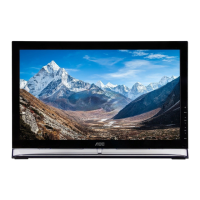
AOC LE22H138
32 pages
Print Icon
To Next Page IconTo Next Page
Loading...
1
English
This manual provides as an operational guide to user. All statements, technical information, and
recommendations in this manual and in any guides or related documents are believed reliable, but the
accuracy and completeness thereof are not guaranteed or warranted, and they are not intended to be,
nor should they be understood to be, representations or warranties concerning the products described.

Other manuals for AOC LE22H138

Questions and Answers

  • A
    Adrian LeSep 2, 2025
    What to do if my AOC LE22H138 cannot receive or select channels?
    • K
      Kathryn GarciaSep 2, 2025
      Perform Auto Program to add receivable channels that are not present in the TV’s memory. To receive or select cable channels, make sure that Cable in the Channel settings is set to On. To receive or select UHF channels over an antenna, make sure Cable is set to Off.
  • S
    Sheryl MooreAug 31, 2025
    What to do if my AOC LE22H138 LCD TV is locked to one channel?
    • C
      Cody RobertsonAug 31, 2025
      Perform Auto Program to add receivable channels that are not present in the TV’s memory.
  • C
    cole39Aug 29, 2025
    Why does my AOC LE22H138 picture suddenly get smaller?
    • T
      tcarterAug 29, 2025
      The picture may get smaller during commercials because of the way the provider broadcasts their content. When HD content channels switch to SD definition content (like commercials), the picture may appear smaller with a black border.
  • W
    William FullerAug 27, 2025
    What to do if my AOC LCD TV cannot receive any channels?
    • A
      Andrea SuttonAug 28, 2025
      Make sure the power cord is securely connected and that the TV is turned on. Check the antenna/cable connections to ensure they are properly connected. Verify that the Cable setting is correct for your TV signal source.
  • A
    apinedaAug 26, 2025
    What to do if my AOC LE22H138 shows noisy picture?
    • N
      nicholascarrollAug 26, 2025
      Ensure that the antenna is connected using a 75-ohm coaxial cable. Keep the antenna cable away from other connecting cords. To avoid TV interference, make sure to use an undamaged antenna cable.
  • M
    Michael OwensAug 25, 2025
    What to do if my AOC LE22H138 LCD TV has no color, dark picture, incorrect color, or the picture is too bright?
    • C
      charlesthomasAug 25, 2025
      Press the PICTURE button to select your desired Picture Mode. You can also adjust the Picture Mode options directly within the Picture settings menu.
  • H
    howardcolleenAug 22, 2025
    Why is there good picture but no sound on my AOC LE22H138?
    • S
      Samuel JonesAug 22, 2025
      Check the volume control and ensure that the mute function is not enabled by pressing MUTE or VOL + to make sure the mute icon disappears from the screen. If you have headphones connected, disconnect them. If you are using HDMI equipment, verify that the audio output setting of the connected equipment is set to PCM.

Summary

Important Information and Safety

Warning, Caution, and FCC Notification

Explains warning symbols, cautionary advice, and FCC compliance statements.

Essential Safety Instructions

Comprehensive safety guidelines for TV operation and use.

Usage Instructions: Installation

Placement and Wall-Mounting

Guidance on TV placement, stand attachment, and wall-mounting procedures.

Screen and Component Handling

Electrical Safety and Protection

Warnings and precautions against electric shock, overloading, and lightning storms.

Device Operation and Maintenance

Contents in the Box

Controls and Connections Overview

Input Ports and Connectors

Details various ports like HDMI, PC, Component, AV.

Remote Control Operations

Initial Setup Procedures

Connecting External Devices

Antenna, Cable, and HDMI Connections

Connecting TV to antenna, cable, and high-definition sources via HDMI.

Connecting Other Signal Sources

Composite and PC Video Inputs

Connecting via composite (CVBS) and PC (VGA) video inputs.

Using the AOC TV: Basic Functions

TV Settings: Input Source Selection

Switching Between Input Signals

How to select the active input signal on the TV.

TV Settings: Channel Management

TV Operations: Audio Adjustments

TV Settings: Video Adjustment

Picture Quality Fine-Tuning

Fine-tuning picture settings like preset, brightness, contrast, color, tint, sharpness, and color temp.

TV Settings: Audio Configuration

TV Settings: PC Input Configuration

TV Settings: Feature Configuration

TV Settings: Parental Controls

Troubleshooting Common Issues

Resolving Picture and Sound Issues

Solutions for common picture, sound, and connectivity problems.

AOC LE22H138 Specifications

General IconGeneral
BrandAOC
ModelLE22H138
CategoryLCD TV
LanguageEnglish

Related product manuals