- 13 -
Record Delay
OFF/On
Delay recording works very similarly to pre-recording, only this option will
continue recording for a set number of seconds after the button has been
pressed.
Motion Detect
Off/On
Now, when the button is pressed, the video recording will start as usual.
However, if no movements are detected for 30 seconds, the camera will stop
recording to save space and battery life. Once any movements are detected, the
camera will start recording again.
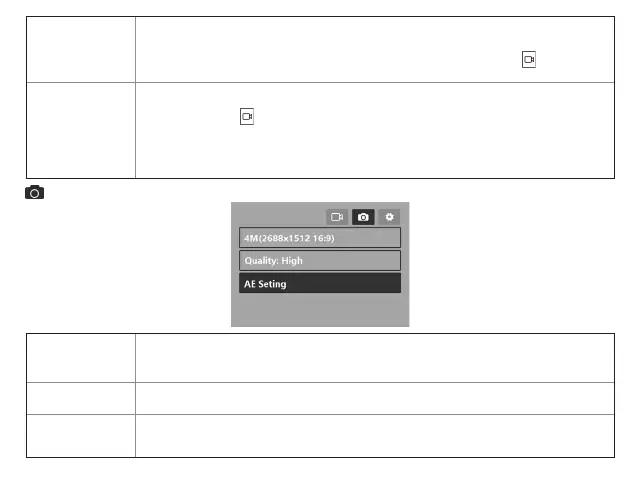
Photo resolution
4M(2688x4845 16:9)
/ 6M(3200x1800 16:9)/ 9M(4032x2268 16:9)/ 13M(4800x2700
16:9)/ 18M(5632x3168 16:9)/ 23M(6400x3600 16:9)/ 34M(7800x4392 16:9)
Quality
High
/Medium/low
AE Setting
Sets the exposure level (-2 – +2) to adjust the brightness of the image.
The default setting is
Low (0)
.
Photo Menu


 To Next Page