- 7 -
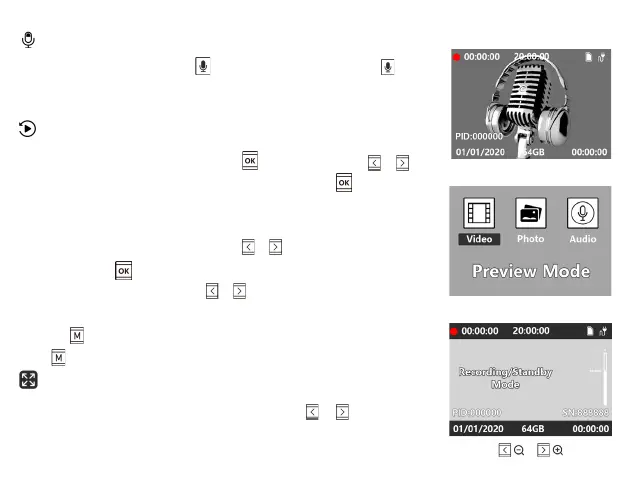
In Standby Mode, short press to record a audio file, press again
to stop recording.Camera Record LED slow flashes Yellow.
When the device is powered on,press to enter file.Press / to
select the files(video file,audio file or photo file),press to enter the
files.
During playback, you can:
● While viewing video or audio,press / to adjust the
volume,press to play or pause the file.
● While viewing photos, press / to display the previous/next
photo.
● Press return to the list.
Press button to exit.
When the device is powered on, press and hold / to zoom
in/out.
Audio Recording
Preview & Playback
Zoom in/out


 To Next Page