- 4 -
Quick Start Operation>>
• Fully charge your camera before the first operation with the provided power cord.
• To protect your safety and avoid damage to the machine,please use the original power
adaptor for charging only
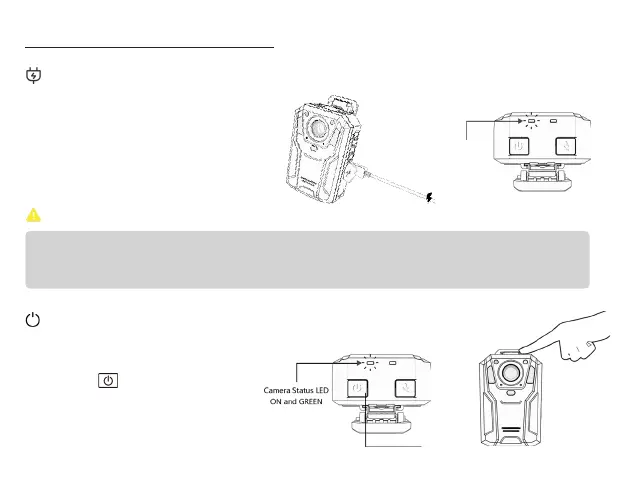
Charge Camera
Lift up the USB cover and plug the
power cord into the camera's USB jack.
Camera status LED shows solid BLUE
while charging and automatically turns
off when fully charged.
IMPORTANT
:
Power On/Off
Long press for 1 second to turn
the camera on. Camera vibrates, emits
a tone and the Camera Status LED
remains on GREEN.
Power On


 To Next Page